
Duplicate a form
Duplicating a form lets you quickly reuse an existing structure without starting from scratch. This is useful when creating similar forms, templates, or variations.
How to duplicate a form
Section titled “How to duplicate a form”- Log in to your Formware account.
- Go to your workspace where your forms are listed.
- Find the form you want to duplicate.
- Click the three-dot menu on the form and select Duplicate.
- Click the Duplicate Form button on the confirmation pop-up.
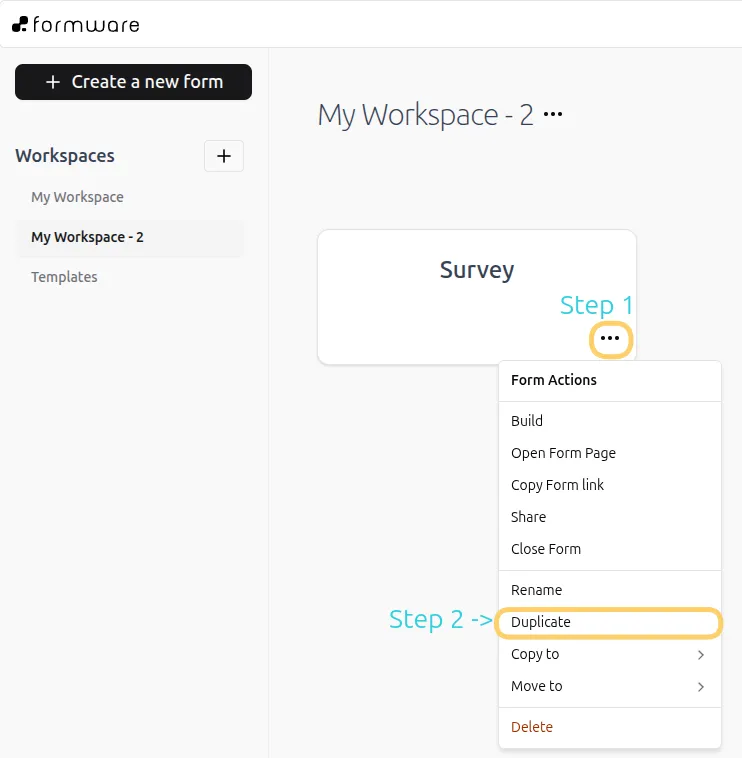
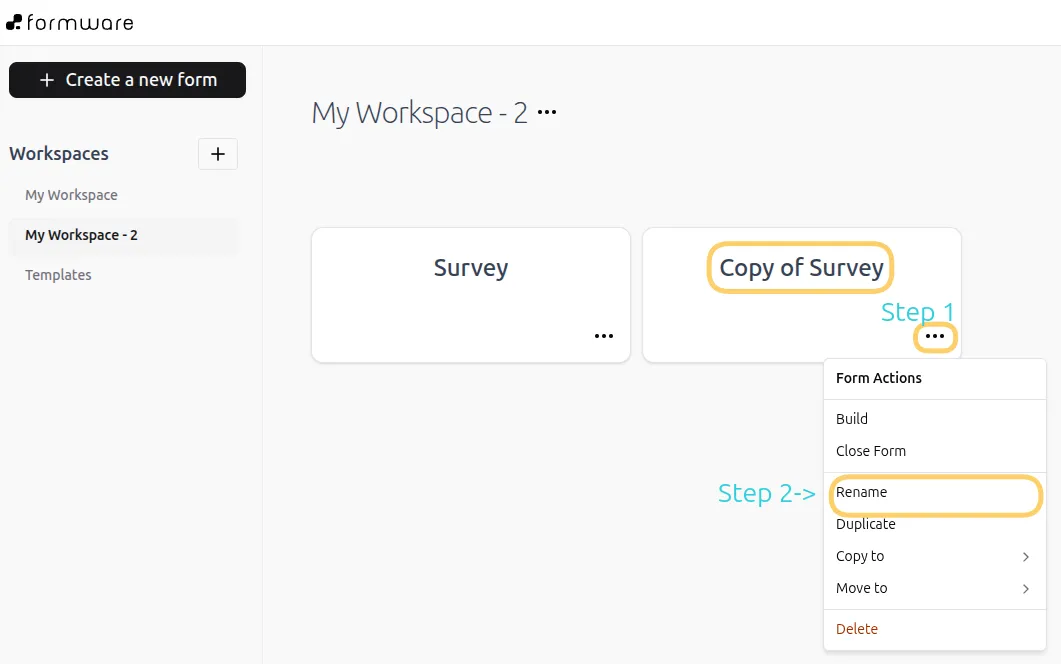
Once duplicated, the new form will appear in your workspace with the same name as the original form, with the prefix Copy of.
Rename your duplicated form
Section titled “Rename your duplicated form”To keep your workspace organized, you can rename the duplicated form:
- Click the three-dot menu on the duplicated form.
- Select Rename.
- Enter a new name and save your changes.
What gets duplicated
Section titled “What gets duplicated”When you duplicate a form, the following are copied:
- Form structure and layout
- Questions and fields
- Basic settings
When to use duplication
Section titled “When to use duplication”Duplicating a form is helpful when you want to:
- Create a new form based on an existing template
- Build multiple variations of a form
- Save time when setting up similar forms
Instead of recreating questions manually, you can duplicate and make small edits.