
Set Up Self Email Notifications
Self email notifications allow you to receive an email every time someone submits your form. This helps you stay updated and respond quickly to new submissions.
Formware also supports respondent email notifications for sending emails to users after submission.
How to enable self email notifications
Section titled “How to enable self email notifications”- Open your form in the editor
- Go to Settings → Self Email Notifications
- Turn on the Self Email Notifications toggle
- Click Save to apply changes
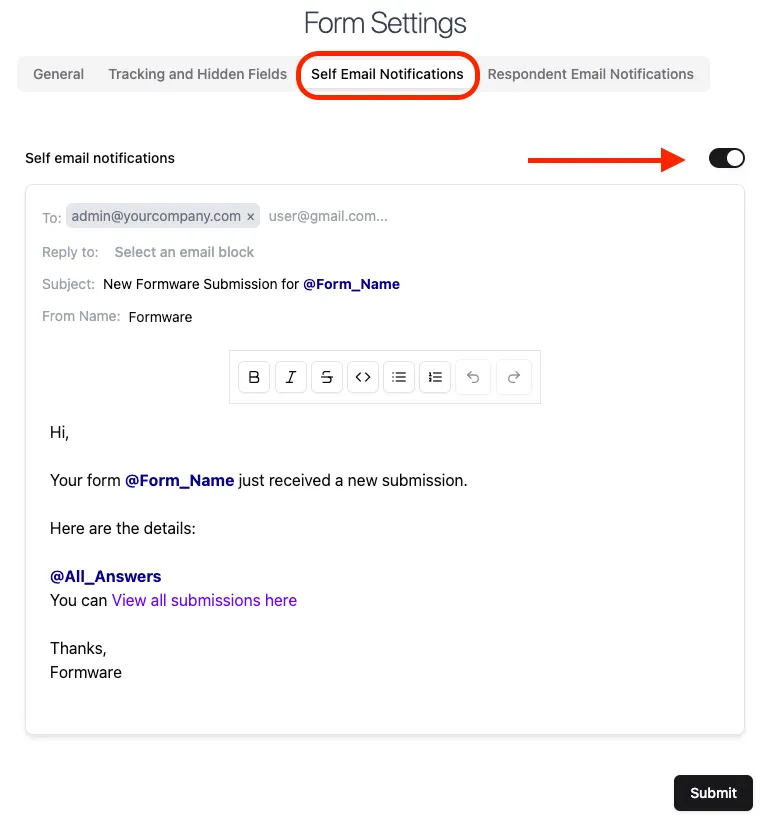
Once enabled, you’ll receive an email whenever a new response is submitted.
Customize email notifications
Section titled “Customize email notifications”You can customize your email notifications to include specific recipients and dynamic content. Customization options are available on Formware Pro plan.
To (recipients)
Section titled “To (recipients)”By default, notifications are sent to your account email.
You can:
- Add multiple recipients
- Enter email addresses separated by commas
Reply-To
Section titled “Reply-To”Set a reply-to address to make it easier to respond to submissions.
You can:
- Leave it empty (default behavior)
- Use an email field from your form to dynamically set the reply-to address
This allows you to reply directly to respondents from your inbox.
Subject
Section titled “Subject”The default subject line is:
New Formware Submission for @Form_Name
You can customize it by:
- Editing the text
- Typing
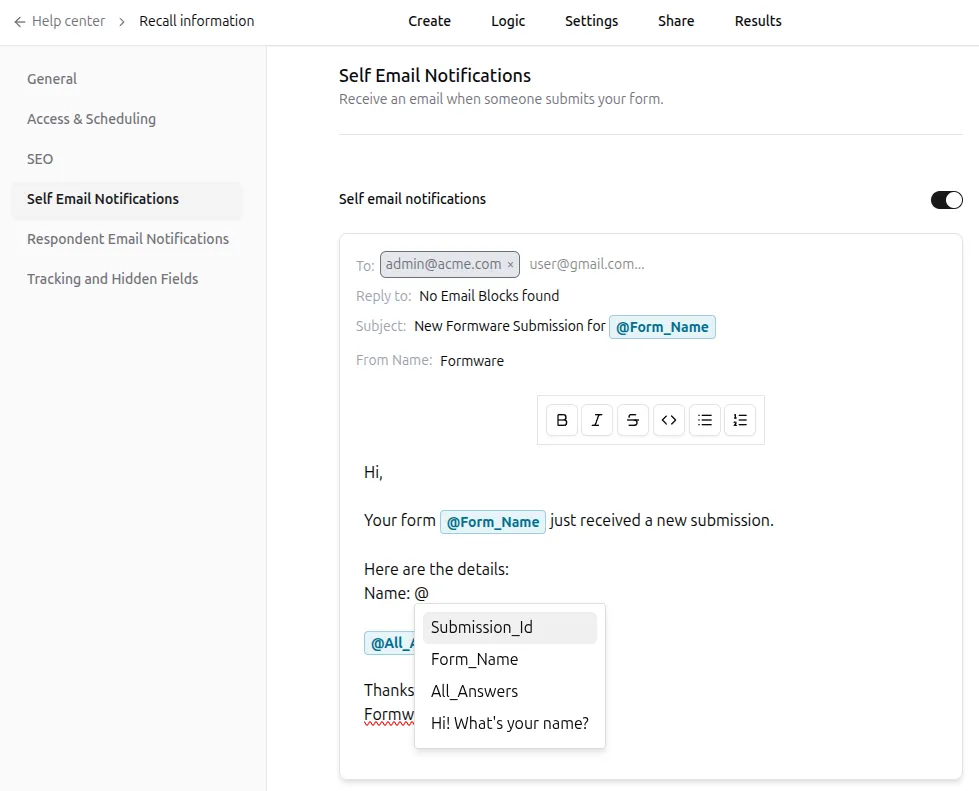
@to insert dynamic values (e.g.@Submission_Idor user input)
Using unique values helps organize emails into separate threads.
From name
Section titled “From name”By default, emails are sent from Formware (noreply@formware.io).
You can customize the sender name, but the sending email address remains the same.
Email body
Section titled “Email body”The email body includes all questions and responses by default.
You can:
- Edit the message content
- Insert dynamic values using
@ - Format the email to match your workflow
When to use self email notifications
Section titled “When to use self email notifications”Use this feature when you want to:
- Get instant alerts for new submissions
- Share responses with your team
- Follow up quickly with leads or users