
Recall Information
Recall information lets you pull answers from previous questions and use them later in your form. You can also recall values from Hidden Fields, making your forms more dynamic and personalized.
Recall previous answers
Section titled “Recall previous answers”A simple way to make forms feel personal is by showing respondents their own previous answers. For example, if the first question asks for a respondent’s name:
“Hi! What’s your name?”
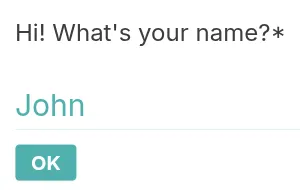
the form can later display their name in a Statement:
“Great, John! Nice to meet you! Shall we get started?”
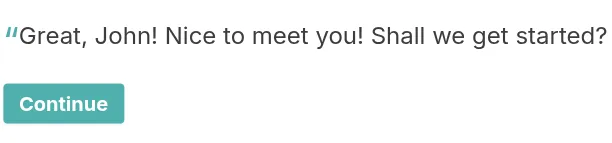
By using Recall information, respondents feel like the form is interacting directly with them.
How to set up Recall information in your form
Section titled “How to set up Recall information in your form”- Start a new form in your Workspace and add a Short Text question asking for the information you want to recall, such as the respondent’s name.
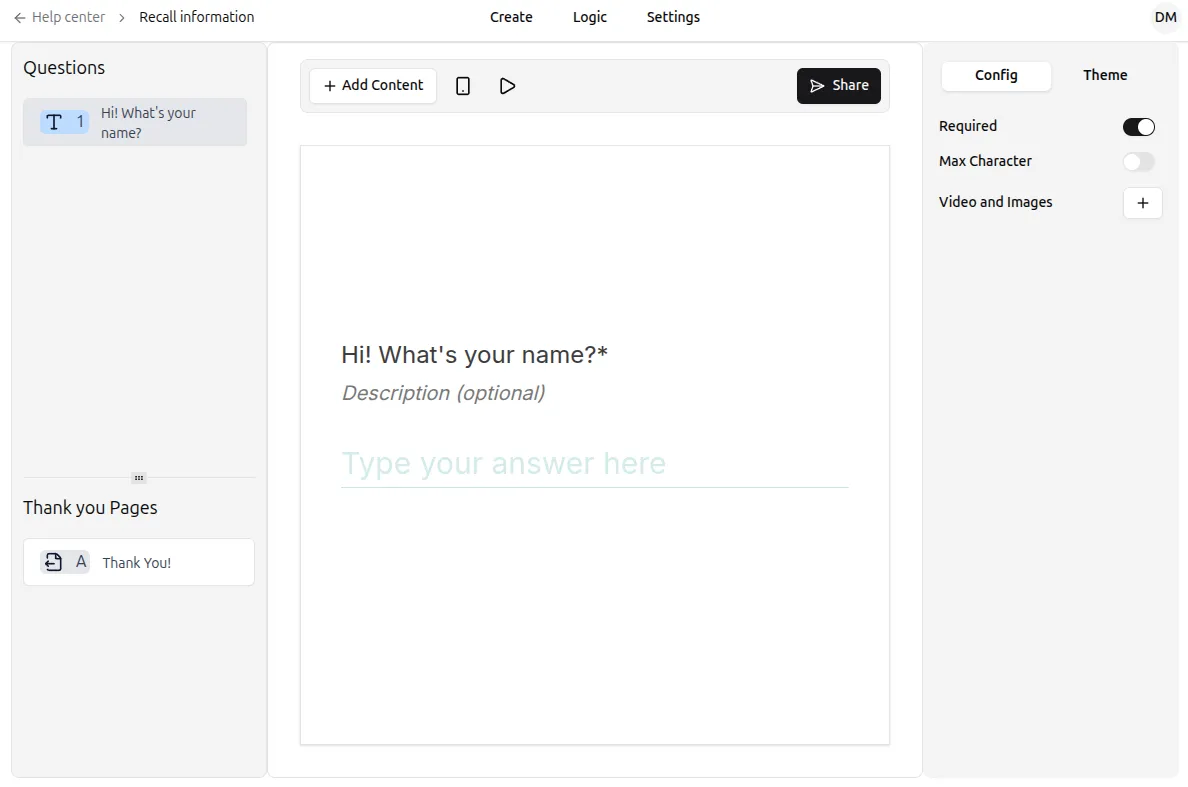
- Add a Statement or follow-up question where you want the recalled answer to appear. For example:
“Great, (NAME)! Nice to meet you! Shall we get started?”
- In the text editor, type
@. A menu will appear listing all previous questions and any available Hidden Fields.
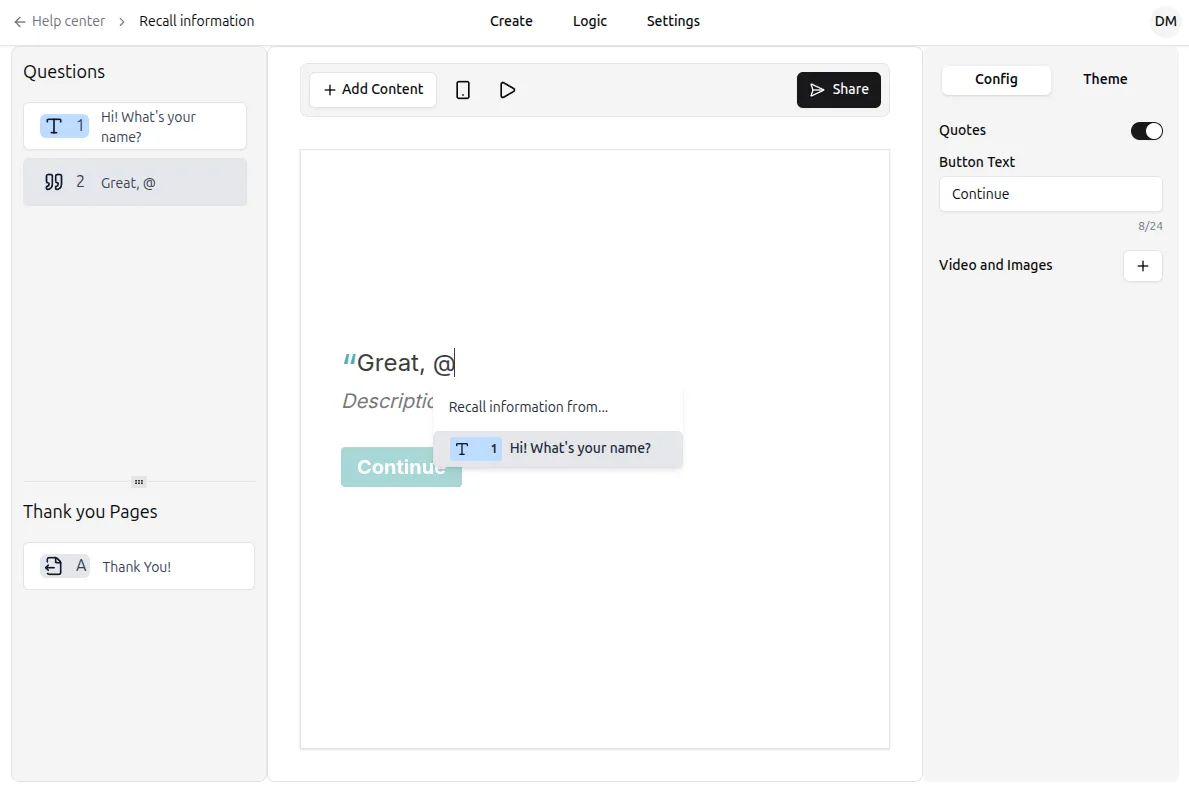
- Select the question or Hidden Field you want to recall. A placeholder will appear in your text.
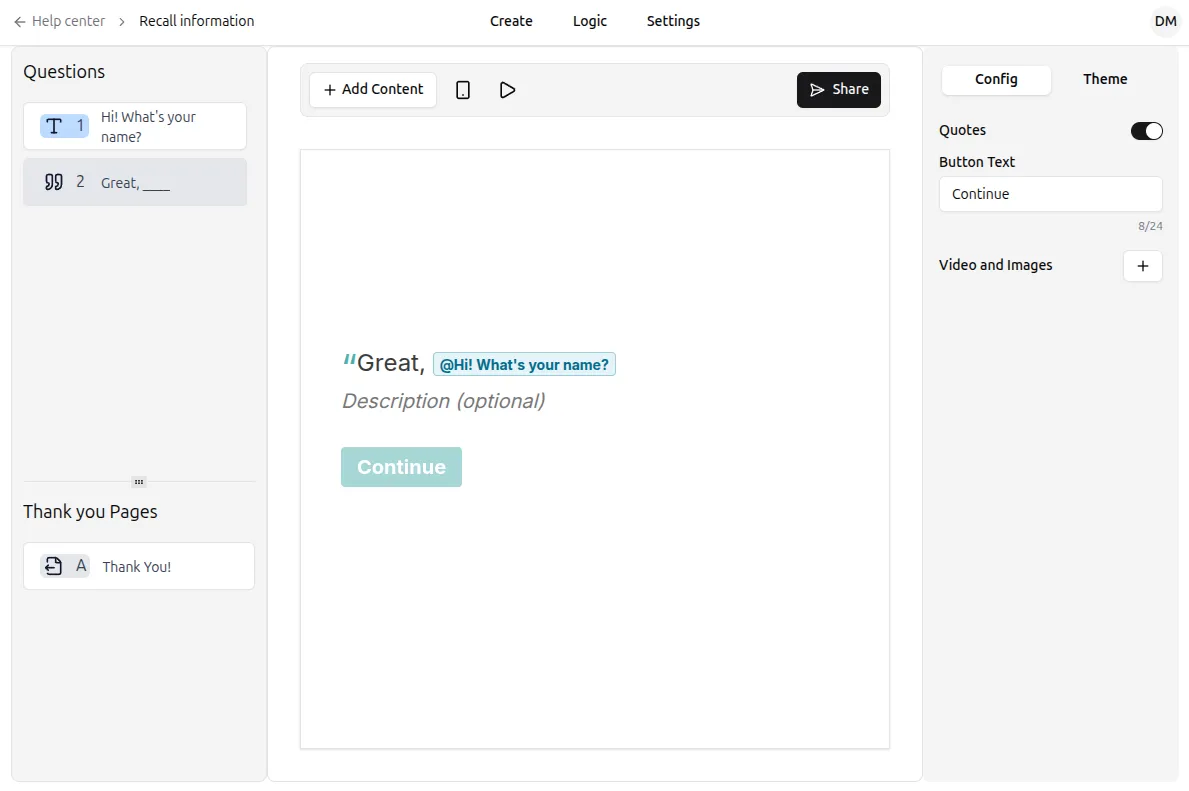
- Continue editing your text as needed. When respondents answer the form, their responses automatically appear in place of the placeholder.
Preview your form using the ▶ button to test that the recalled information is displaying correctly.
Where can I use Recall information?
Section titled “Where can I use Recall information?”- Anywhere in your form: Welcome Screens, questions, Statements, or Endings.
- You can only recall information that has already been collected. For instance, you cannot reference the answer to question #5 in question #2.
- In email notifications: Use recalled answers in Email Notifications to show respondents their previous answers or send follow-ups with dynamic content.
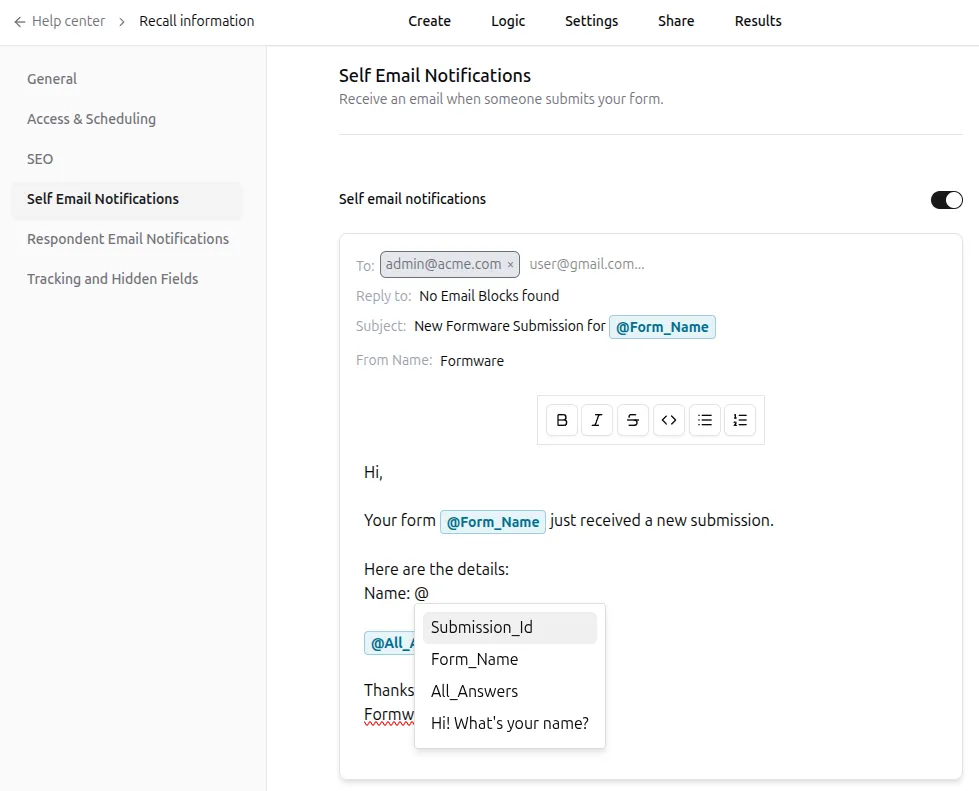
What values can I recall?
Section titled “What values can I recall?”- Input fields: Answers from previous questions.
- Hidden Fields: Data you already have, like names, emails, or other custom parameters.
Recall Hidden Fields
Section titled “Recall Hidden Fields”Hidden Fields store pre-existing information about respondents, such as customer data. When you have Hidden Fields set up, they will appear in the @ menu when using Recall information.
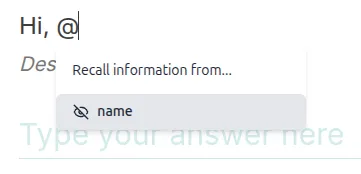
By combining Hidden Fields with Recall information, you can prefill personalized content in Statements, questions, or Endings, creating a more engaging experience for each respondent.