
Make Questions Required in Your Form
Making questions required ensures that respondents cannot skip important fields in your form. This is useful when you need specific information, such as contact details or mandatory selections.
By default, it’s often best to keep forms flexible and only require essential questions. This helps reduce friction and can improve completion rates. Use required fields only when the information is necessary.
How to make a question required
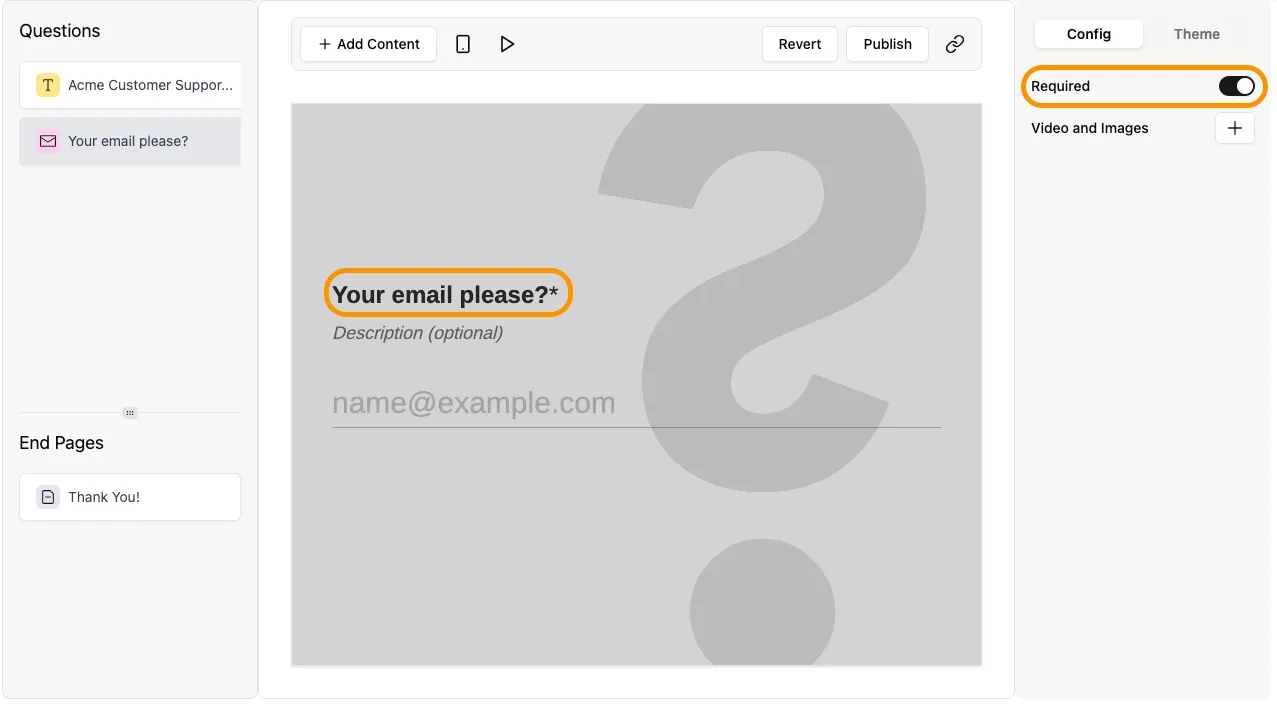
Section titled “How to make a question required”- Open your form in the editor.
- Click on the question you want to update.
- In the Config tab on the right panel, enable the Required toggle.
What happens when a question is required
Section titled “What happens when a question is required”- A red asterisk (*) appears next to the question label.
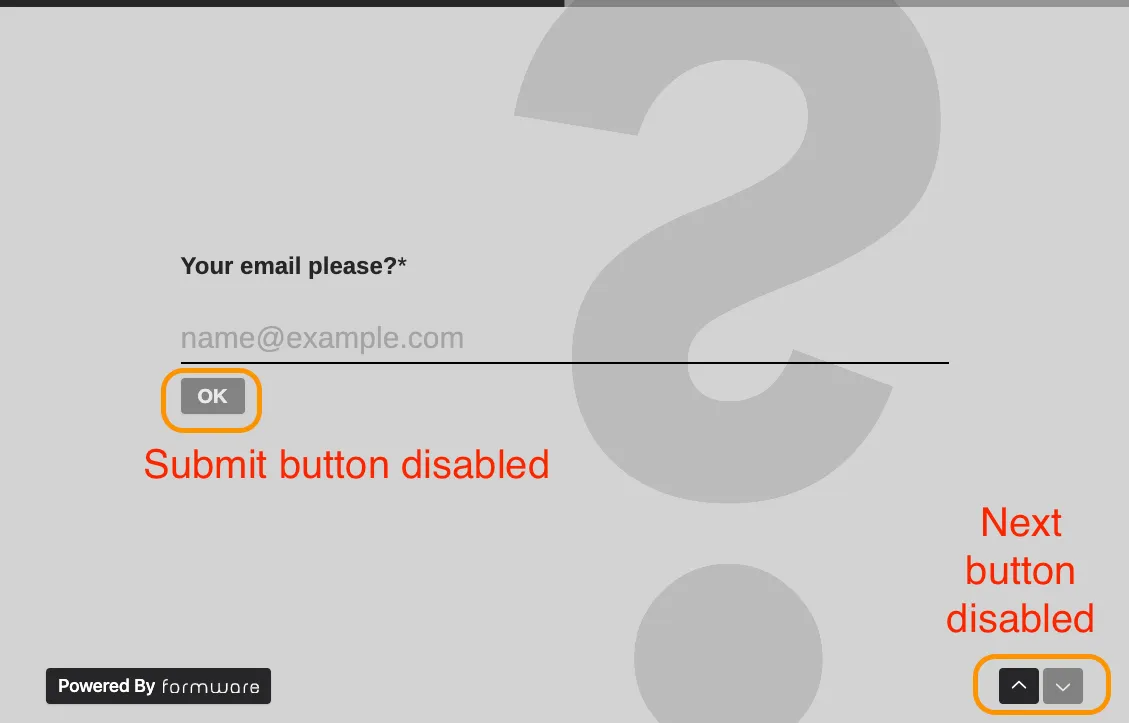
- Respondents must provide an answer before continuing.
- The Next or Submit button remains disabled until the required question is answered.
When to use required fields
Section titled “When to use required fields”Use required fields when:
- You need essential information (e.g. email address, name)
- A response is necessary to process submissions
- Skipping the question would break your workflow or logic
Avoid marking too many questions as required, as it can make your form feel restrictive and reduce completion rates.