
View Partial Form Submissions (Capture Incomplete Responses)
Partial submissions let you view responses from users who didn’t complete your form.
Formware automatically saves answers after each question — so even if a respondent drops off before submitting, their progress is still captured. This helps you analyze drop-offs, improve your form, and recover potential leads.
Formware immediately captures responses for every question answered by the respondent automatically.
View Partial Submissions
Section titled “View Partial Submissions”To access partial responses:
- Open your form
- Go to the
Resultstab - Click on
Responses (Partial)
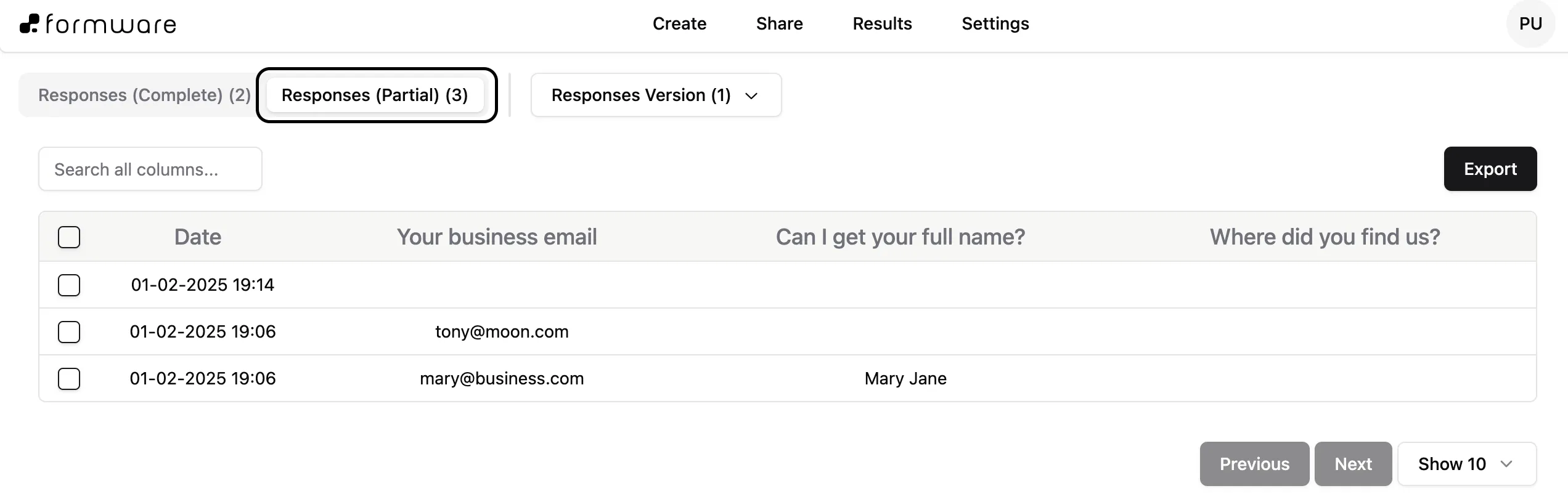
This section includes all respondents who opened the form but did not complete it. Some entries may appear empty if a user exited before answering any questions.
How Partial Submissions Help
Section titled “How Partial Submissions Help”Partial responses give you insight into how users interact with your form:
- Identify drop-off points – see where users stop responding
- Improve form completion rates – optimize confusing or long sections
- Capture partial leads – retain useful data even from incomplete submissions
Export Partial Responses
Section titled “Export Partial Responses”To export partial submissions:
- Go to
Responses (Partial) - Click
Export
You can then analyze incomplete responses outside Formware. You can’t export partial submissions with integrations or enable email notifications.