
Website Question
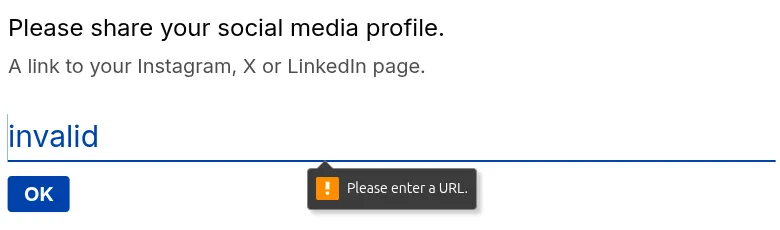
The Website question lets you collect URLs with built-in validation. It ensures respondents enter a properly formatted link (such as https://example.com) before continuing, helping you capture accurate and usable data.
Use this question when you need to:
- Collect personal or business websites
- Ask for portfolio or project links
- Gather social profiles or external resources
Add a Website question
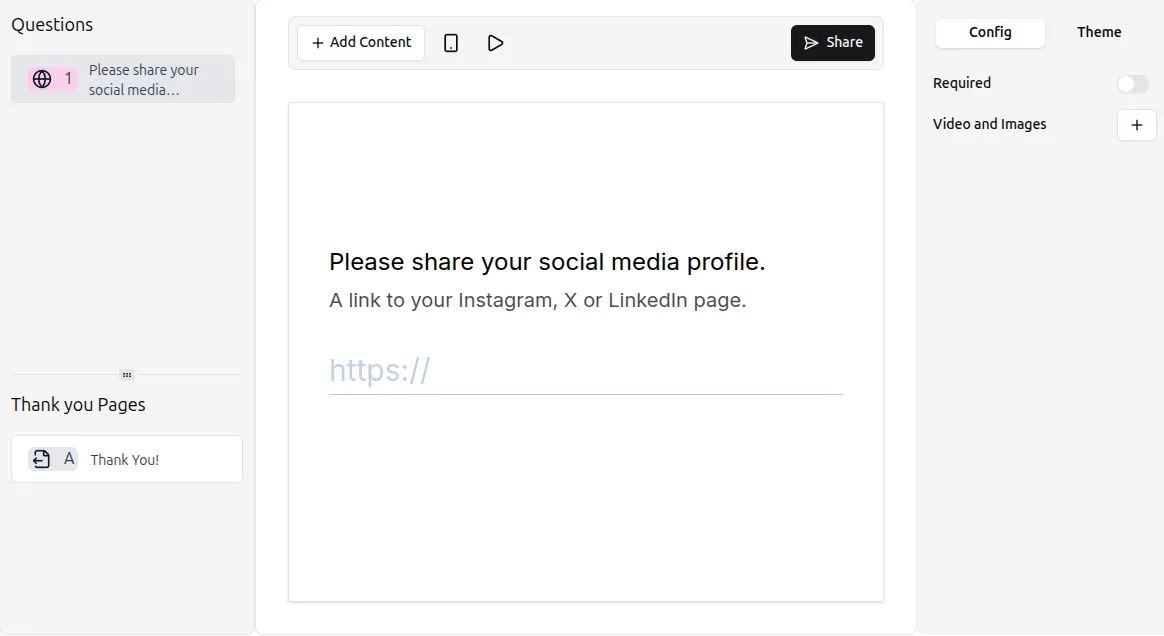
Section titled “Add a Website question”- Open your form and click the
+ Add Contentbutton - Select Website from the list of question types
- Enter your question text and (optionally) add a description
The Website question automatically validates URLs. If a respondent enters an invalid or incomplete link, they will see an error message and won’t be able to proceed until it’s corrected.
Use Preview mode to test how URL validation works.
Website settings
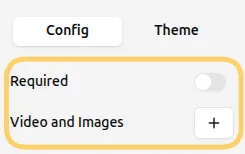
Section titled “Website settings”You can customize the Website question from the Config tab in the right-hand panel.
Make the website required
Section titled “Make the website required”Enable the Required toggle to ensure respondents must provide a valid URL before submitting the form.
This is useful when the link is important for:
- Reviewing submissions
- Verifying user profiles
- Accessing shared resources
Add images or videos
Section titled “Add images or videos”You can enhance your question with visuals:
- Click Add next to Videos and Images in the question settings
- Upload an image or video
For more details, see the guide on adding visuals: Add Images and GIFs