
Enable the Progress Bar in Your Form
A progress bar helps respondents understand how much of the form they have completed and how much is left. This can improve completion rates, especially for longer or multi-step forms.
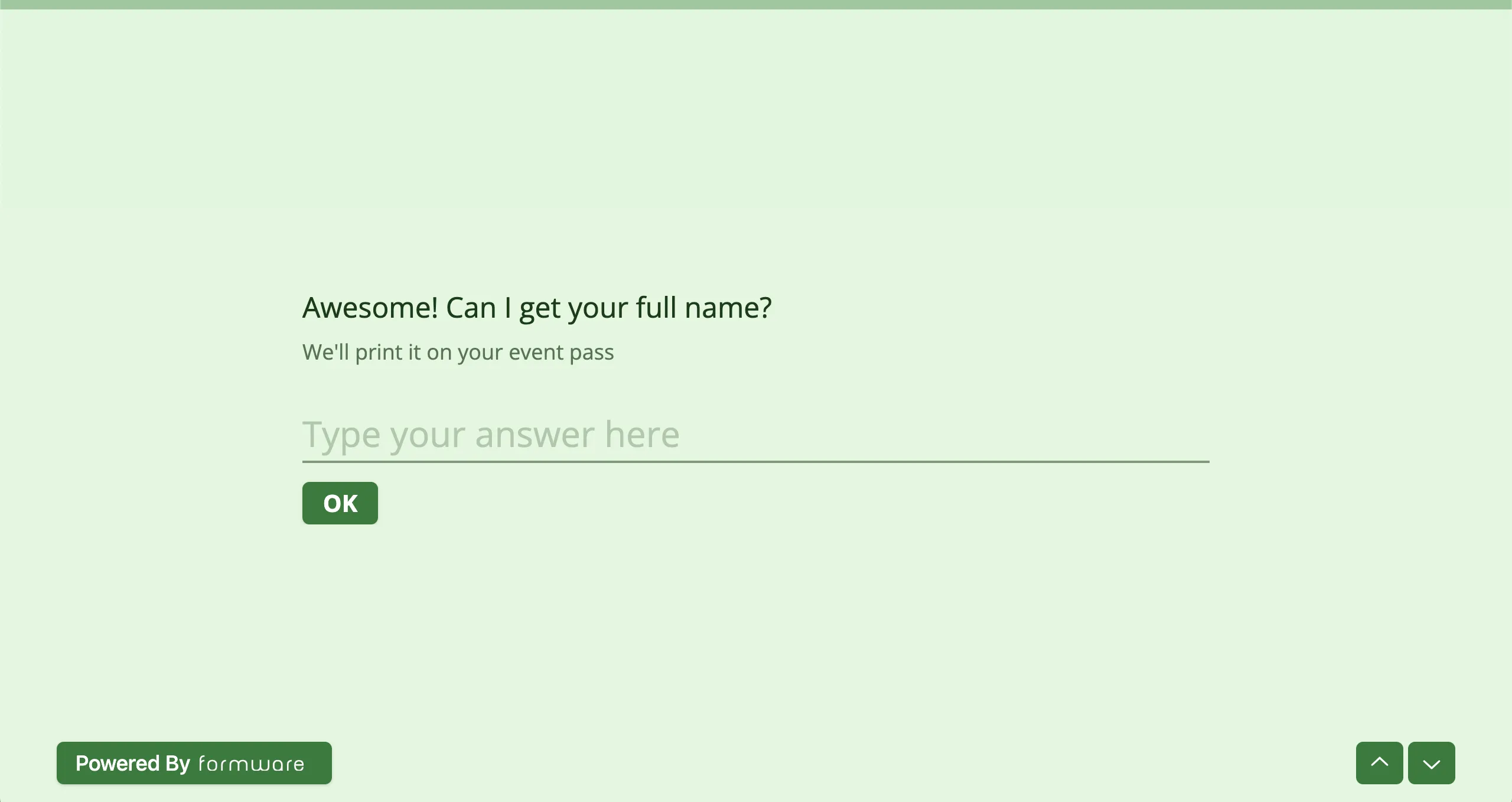
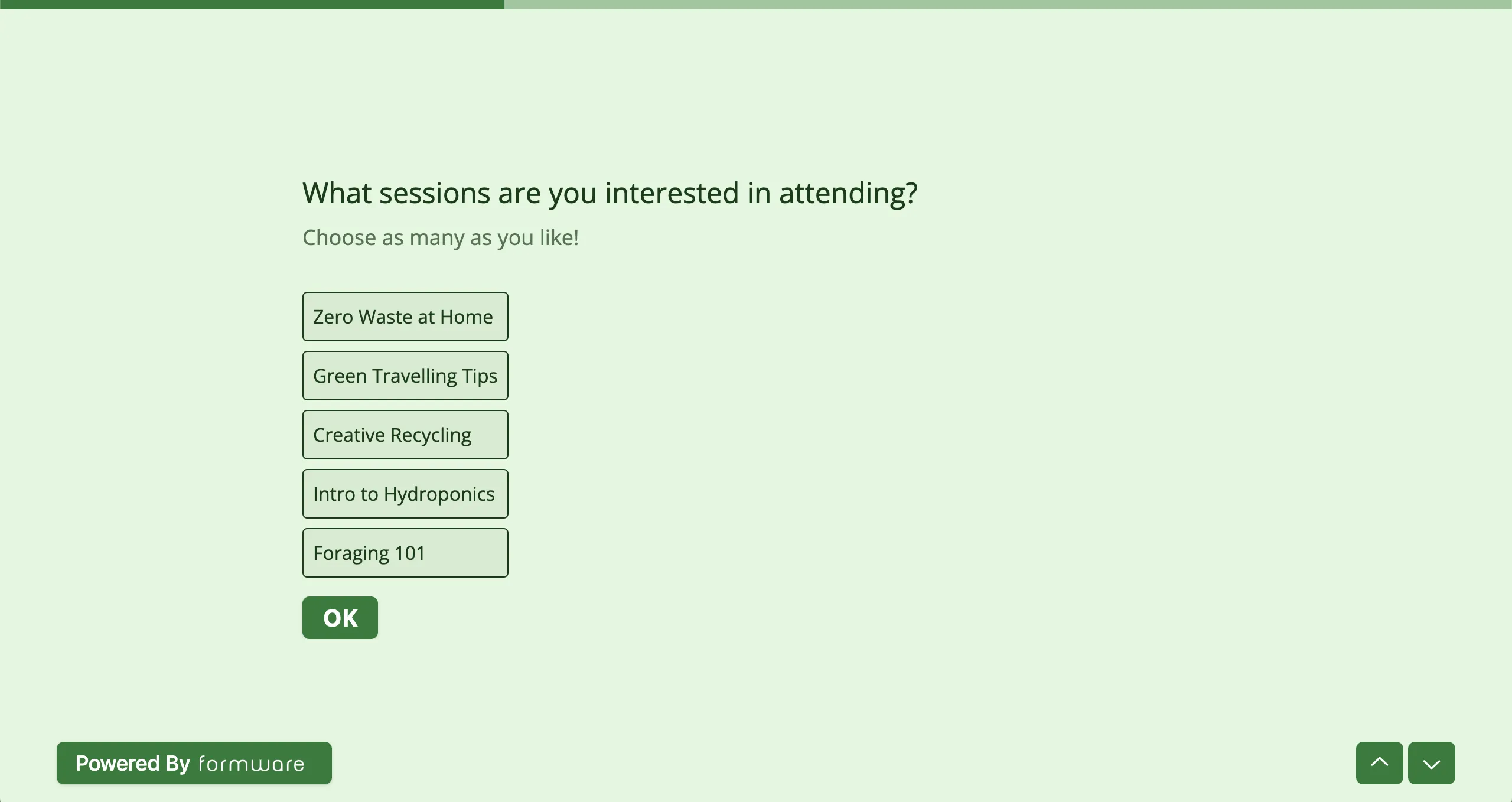
The progress bar appears as a horizontal indicator at the top of the form and updates as respondents move through questions.
How to enable or disable the progress bar
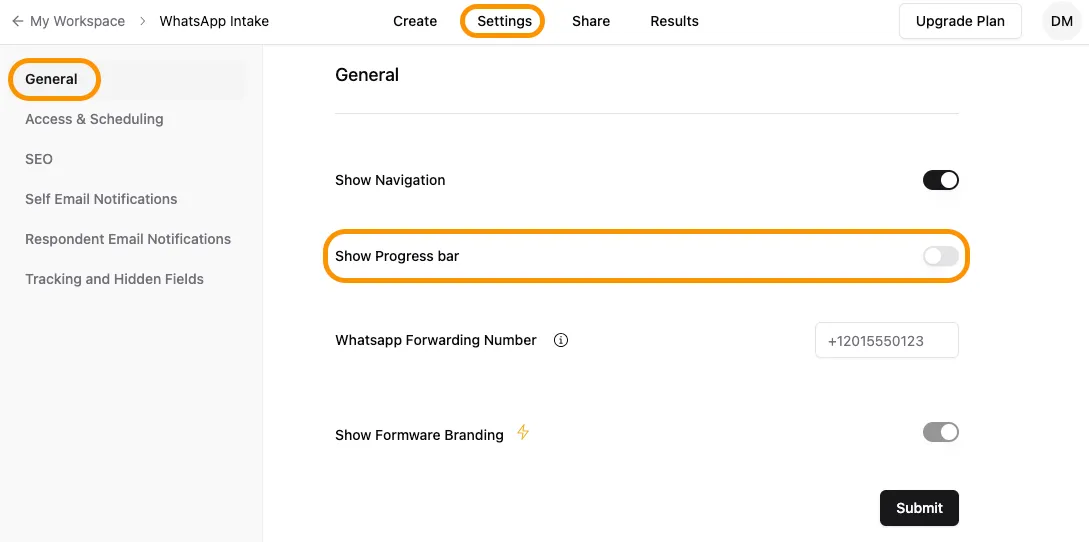
Section titled “How to enable or disable the progress bar”- Open your form in the editor.
- Go to the Settings tab at the top.
- Turn the Progress Bar toggle on or off.
How the progress bar works
Section titled “How the progress bar works”- Displays at the top of the form
- Fills as respondents answer questions
- Updates in real time as users move forward
Here’s what the progress bar looks like before the respondent has answered any questions.
And here’s what it looks like when the respondent has partially filled out the form.
When to use a progress bar
Section titled “When to use a progress bar”Use a progress bar when:
- Your form has multiple steps or sections
- It takes more than a few questions to complete
- You want to reduce drop-offs by setting expectations
For very short forms, a progress bar is usually not necessary.