
Share Your Form via URL
Once your form is ready, you can share it using a unique URL. Anyone with this link can open and submit your form.
Publish your form before sharing
Section titled “Publish your form before sharing”Before sharing your form, make sure it is published. Unpublished forms are not accessible to respondents.
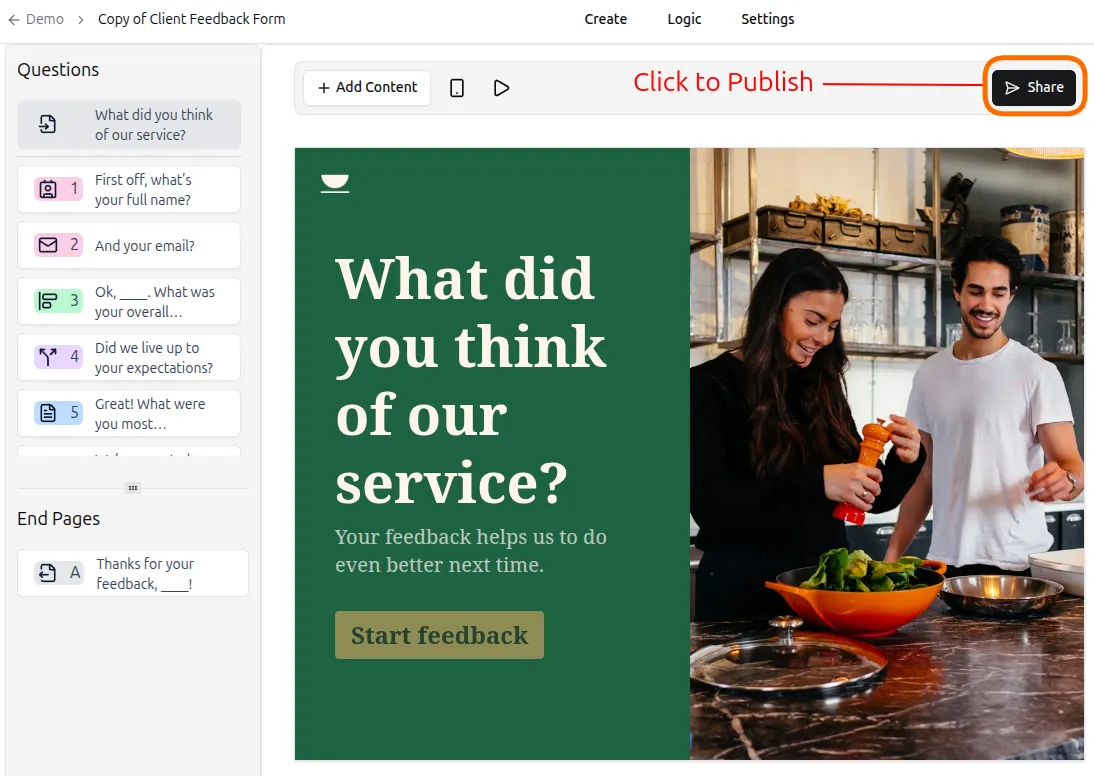
If you’re publishing for the first time:
- Click the Share button in the editor toolbar
- Your form will be published automatically
- You’ll be taken to the Share tab, where you can copy the form link
How to copy your form link
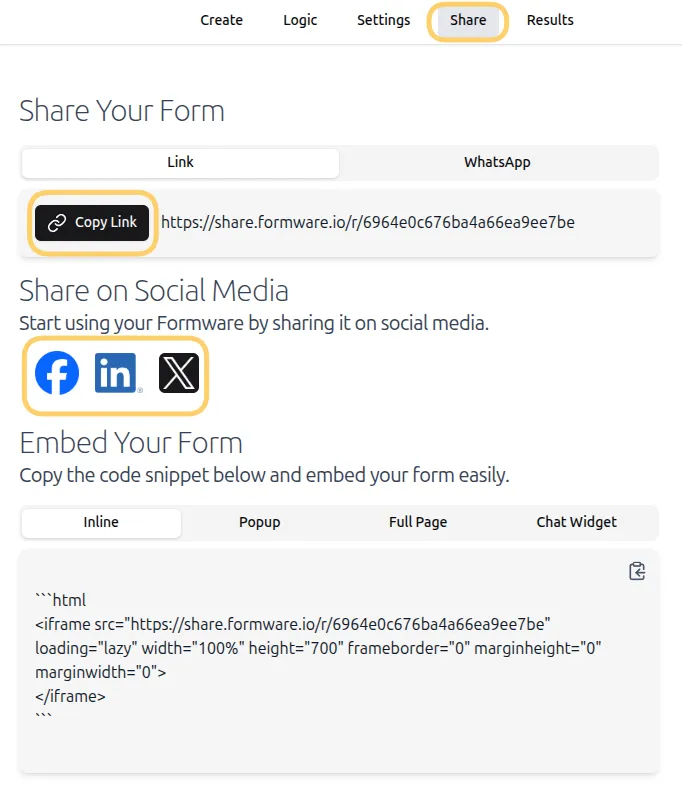
Section titled “How to copy your form link”- Open your form in the editor.
- Go to the Share tab.
- Click the Copy Link button next to your form URL.
Where to share your form link
Section titled “Where to share your form link”After copying the link, you can share it anywhere your audience is:
- Send it via email or messaging apps
- Post it on social media platforms
- Embed it in websites, blogs, or landing pages
- Print it as a QR code for offline materials — see Share Your Form via QR Code
Share directly from the editor
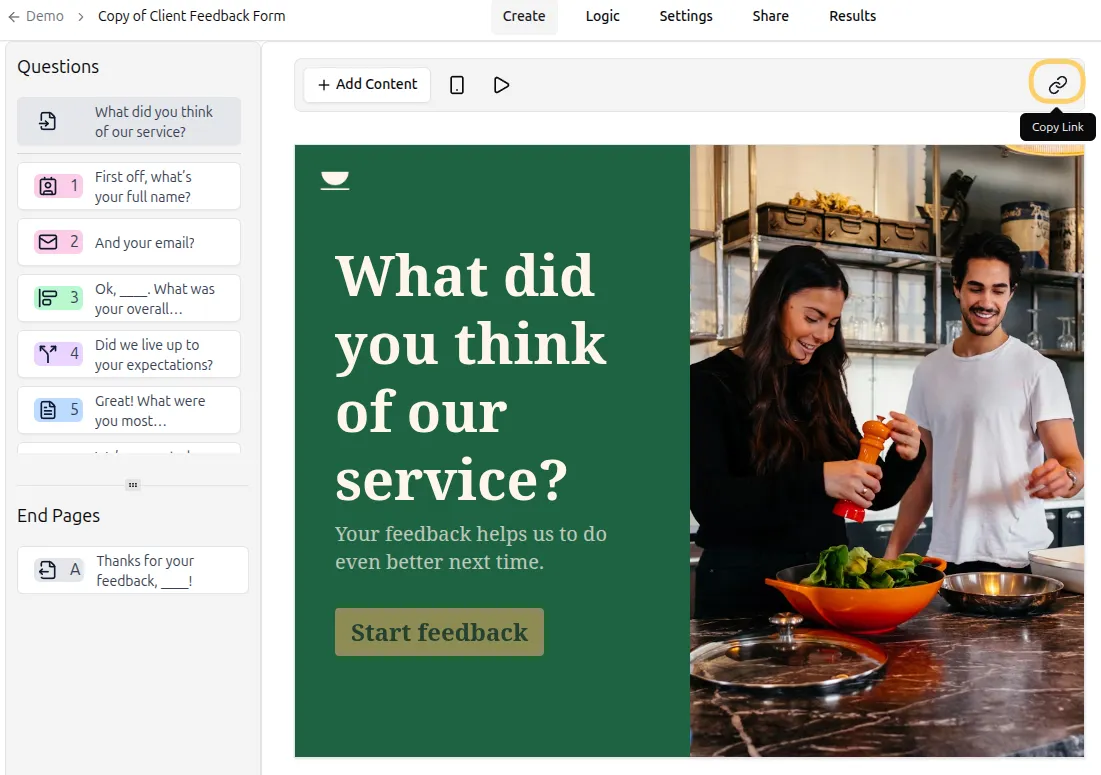
Section titled “Share directly from the editor”You can also copy your form link while building your form:
- Go to the Create tab
- Click the Copy Link button in the toolbar to quickly copy the URL
Improve how your link appears
Section titled “Improve how your link appears”You can customize how your form appears when shared by adding SEO details. Go to Settings → SEO to add SEO information for your Formware URL - read more here