
Publish Your Form to Make It Live
Publishing your form is required before you can:
- Share it with respondents
- Set up integrations
- Receive email notifications
Once your form is published, anyone with the form link can access it.
Step 1: Open Your Form
Section titled “Step 1: Open Your Form”Log in to Formware and open the form you want to publish. You can publish from multiple panels within the editor.
Step 2: Click the Share Button
Section titled “Step 2: Click the Share Button”From the Create Panel
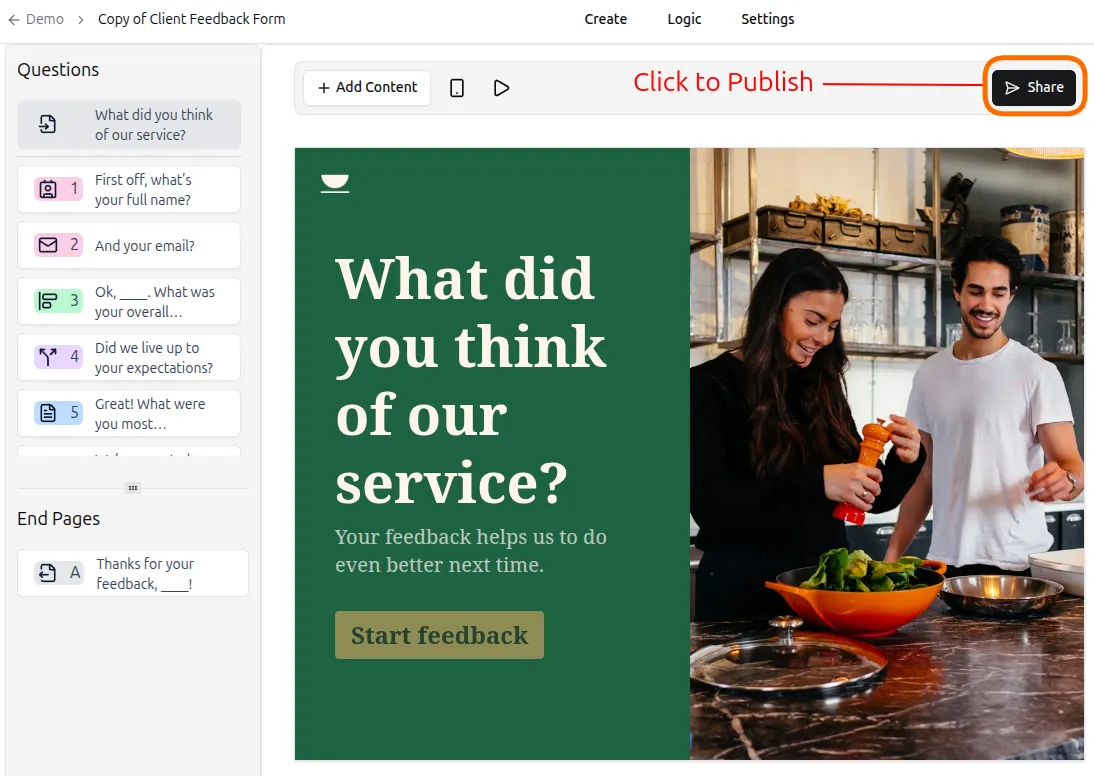
Section titled “From the Create Panel”Click Share in the Create panel to make your form live.
From the Logic Panel
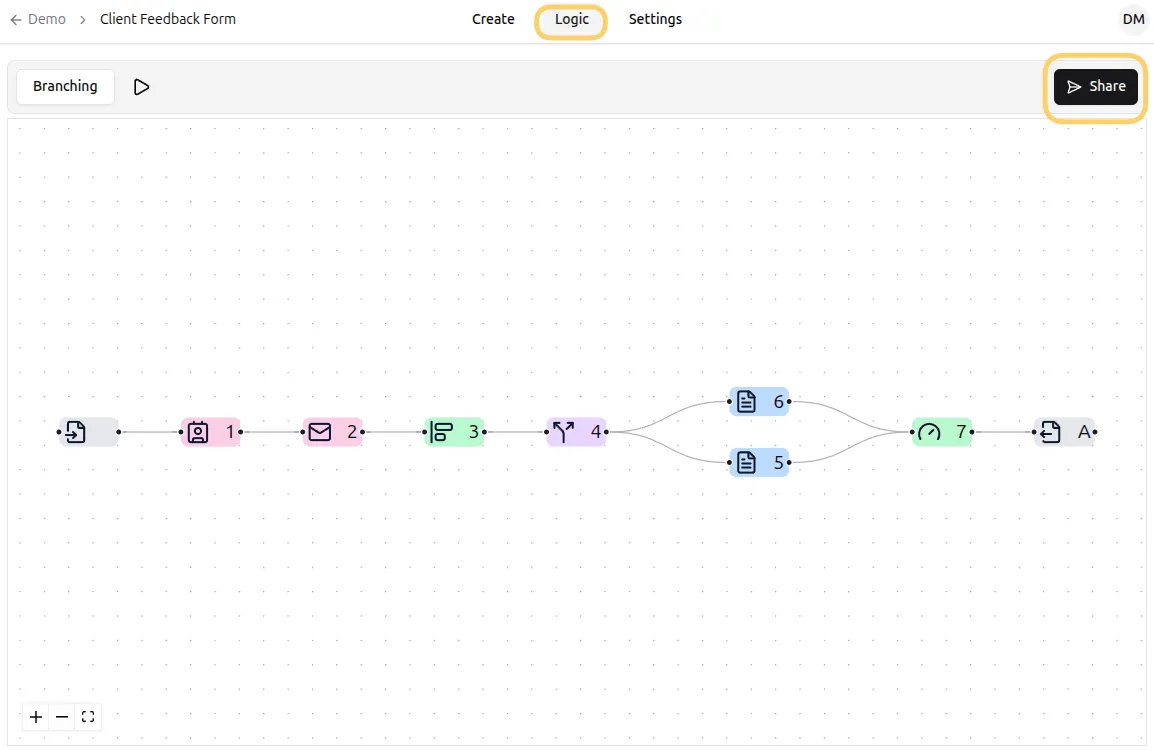
Section titled “From the Logic Panel”Click Share in the Logic panel. This also publishes your form immediately.
Step 3: Access the Share Panel
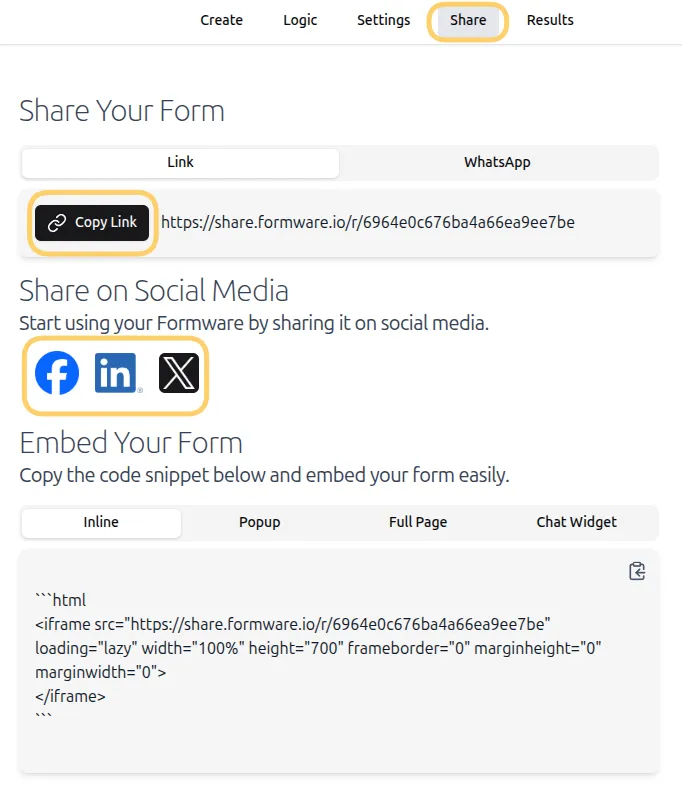
Section titled “Step 3: Access the Share Panel”After clicking Share, the Share panel will open. Here you can:
- View your form URL
- Copy the link
- Share on various platforms
- Access embed options
Step 4: Publish Edits
Section titled “Step 4: Publish Edits”If you make changes after your form is live:
- Edits are saved automatically.
- Click Publish edits to update the live version of your form.
- Changes will now appear for all respondents.
Learn more about sharing your form in Share Your Form.