
File Upload question type
Use the File Upload question type to let respondents attach files to their form responses. This is useful for collecting documents, images, resumes, or any other type of file.
Common use cases include:
- Job applications (resumes, cover letters)
- Support forms (screenshots, error logs)
- Feedback forms (images or documents)
- Event submissions (portfolios, ID proofs)
How to add a File Upload question
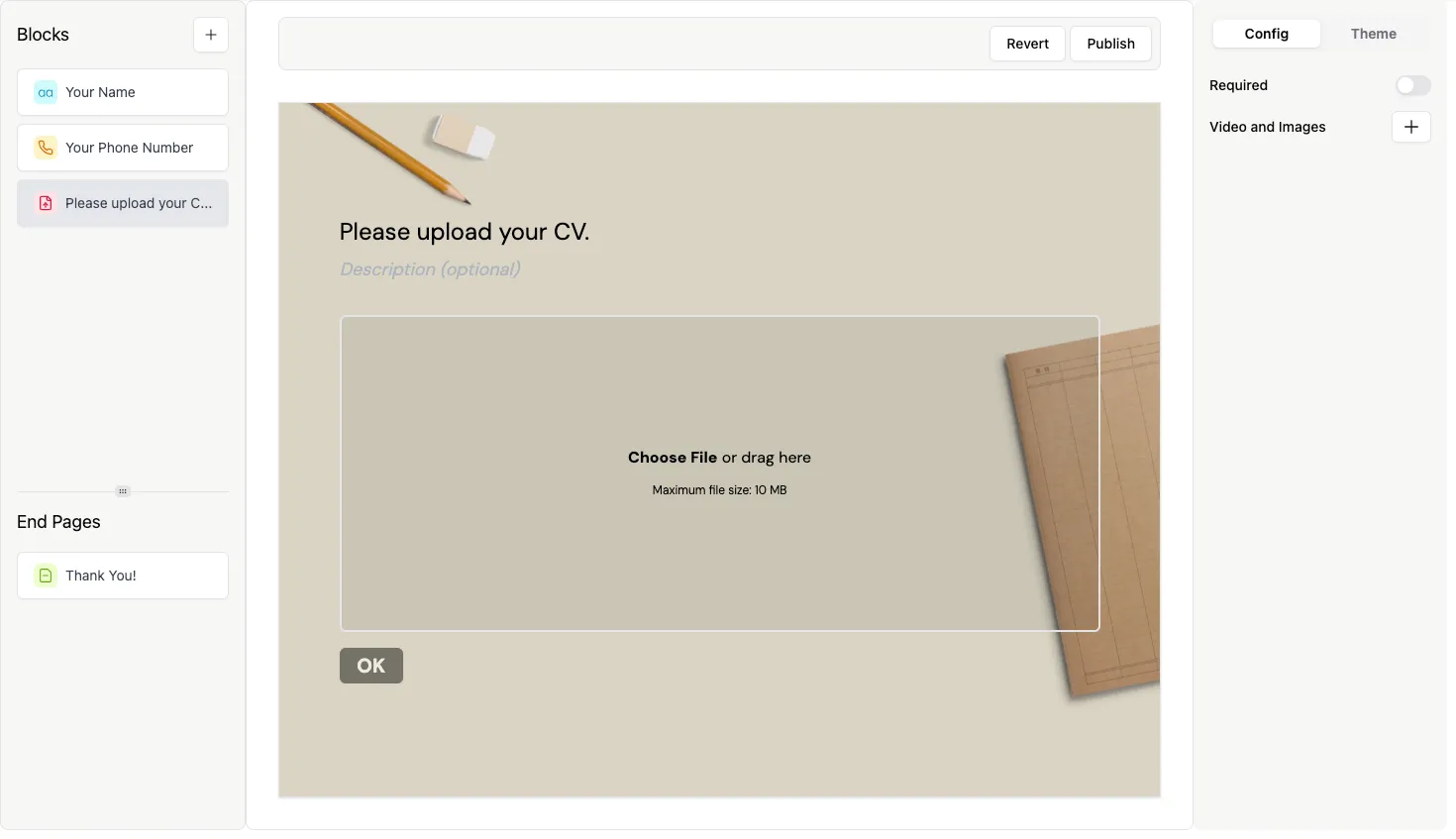
Section titled “How to add a File Upload question”- Open your form and click the
+ Add Contentbutton. - Select File Upload.
- Enter your question text and optional description.
- (Optional) Enable Required to make file upload mandatory.
How to access uploaded files
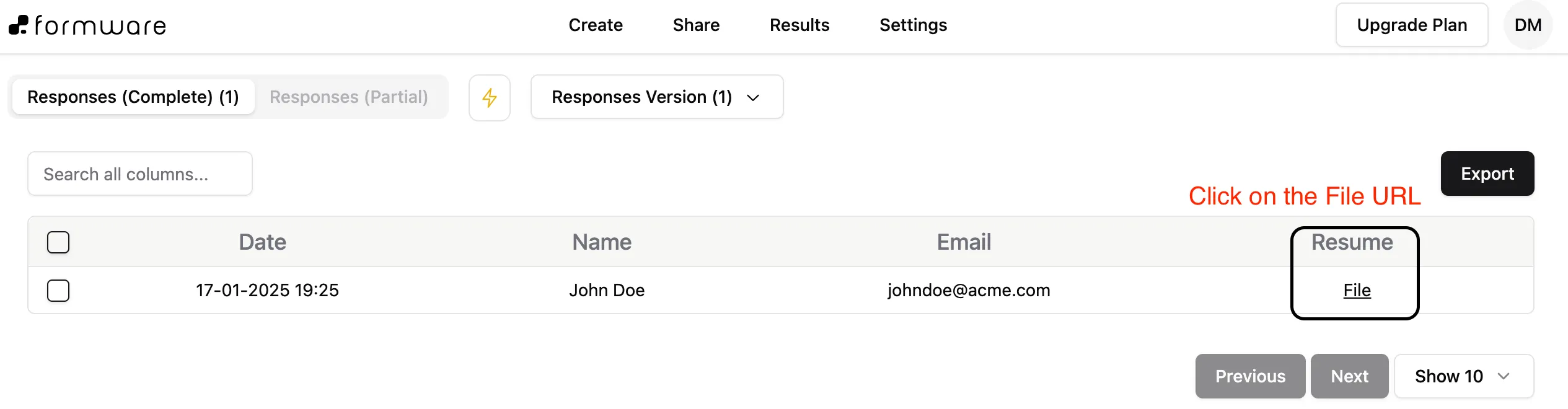
Section titled “How to access uploaded files”All uploaded files are available in the Results tab of your form dashboard.
- Click a file to open it in a new tab
- Download it to your device if needed
File access and security
Section titled “File access and security”File URLs are temporarily authenticated:
- Each file link includes a secure access token
- The link remains valid for 24 hours
- After expiry, you can generate a new link from the dashboard
This ensures that uploaded files remain protected.
What is the maximum file size?
Section titled “What is the maximum file size?”- Free plan: up to 10MB per file
- Formware Pro: no file size limit
What happens to files if I delete a form?
Section titled “What happens to files if I delete a form?”All uploaded files are permanently deleted along with the form. Make sure to download any important data before deleting.
Is there a limit on the number of files?
Section titled “Is there a limit on the number of files?”There is no limit on the number of files or total storage, as long as usage stays within the fair use policy.
How long are files stored?
Section titled “How long are files stored?”Files are stored as long as your account and form data remain active.
Are there usage guidelines?
Section titled “Are there usage guidelines?”Yes. File uploads are subject to Formware’s fair use policy to ensure reliable service for all users.