
Partial Submissions
What if you could view unfinished submissions of respondents who haven’t completed your form? Partial submissions do just that! Gather data from lost leads, find drop-off points, and improve your form conversion rates.
Formware immediately captures responses for every question answered by the respondent automatically.
View partial submissions
Section titled “View partial submissions”Simply navigate to the Results page of your form and then click on the Responses (Partial) tab to view partial responses.
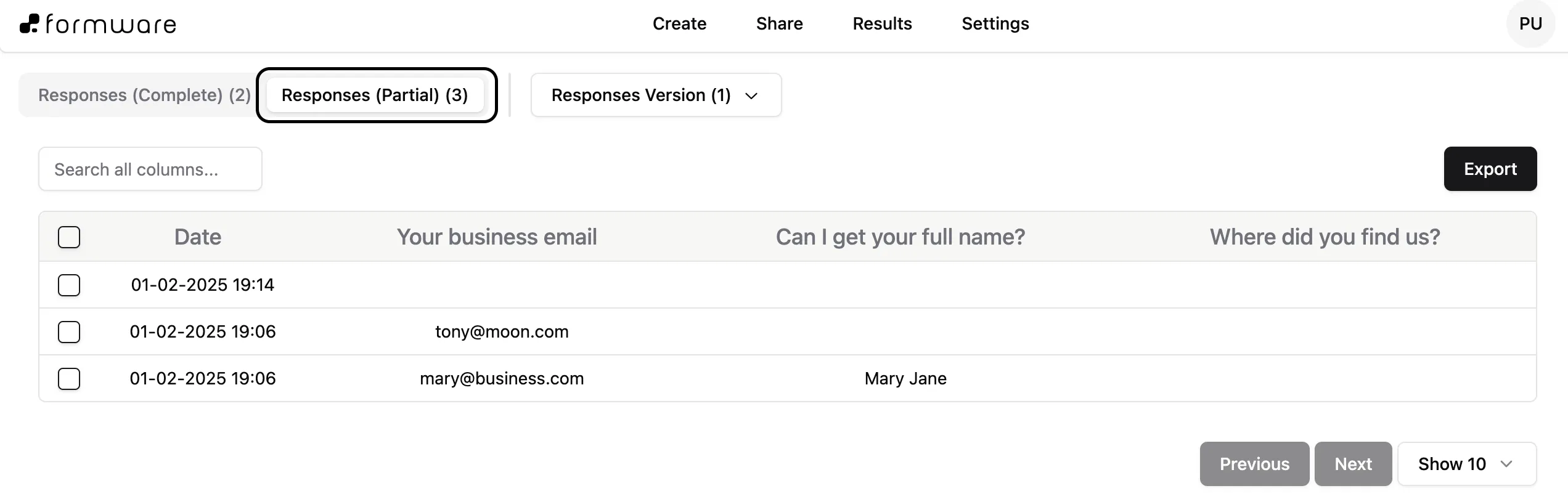
This section will contain data about every respondent that opened the form but did not answer all questions. Thus, it is possible that some rows may be empty, as these are people who did not answer even a single question.
Partial submissions and integrations
Section titled “Partial submissions and integrations”You can’t export partial submissions with integrations or enable email notifications.
If you’d like to export your form’s partial submissions, go to the Responses (Partial) tab and click Export.