Decisions under uncertainty deserve better instruments
Market research is the discipline of spending a little structure to save a lot of guessing — and the instrument decides everything. A sloppy survey doesn’t just return weak data; it returns confident-looking weak data, which is worse, because a confident wrong answer gets funded. The craft on this page is about making the instrument defensible: a clean sample, questions that produce comparable numbers, and a fielding plan that reaches the actual population.
Scope note first: this page covers studying a market — brand perception, concepts, pricing, competitors, segments, often including people who aren’t your customers yet. The systematic listening program for existing customers is voice of the customer, and individual product feedback loops live on product feedback. The three overlap in technique but differ in subject, and each page is built for its own. The ready-made starting points are in the market research template collection, and every mechanic below runs on the free plan.
Study types, and the questions each one runs
Different studies measure different things — the mistake is one generic “research survey” trying to do all of them:
Brand tracking
- Unaided awareness — “When you think of [category], which brands come to mind?” as long text. Unprompted recall is the honest top of the funnel.
- Aided awareness — multiple choice listing brands including yours.
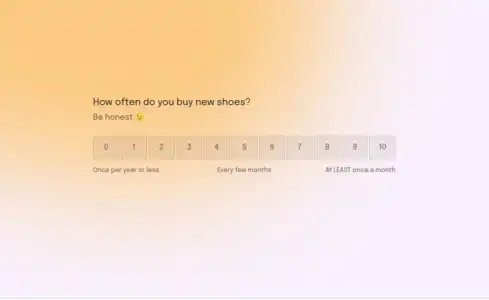
- Favorability — an opinion scale per brand, or a 1–5 rating.
- The trend rule: identical wording, identical order, every wave. Brand tracking is the delta between waves; reworded questions forfeit every comparison. The brand tracking template and the brand awareness survey are built for repeated fielding.
Concept testing
- The stimulus — show the concept as an image via picture choice or a link, then measure.
- Purchase intent — a 5-point rating (“definitely would buy” → “definitely would not”).
- Uniqueness and credibility — opinion scales. A concept can be liked, unique, and unbelievable; the three scores tell you which problem you have.
- The open follow-up — “What would make this a must-have?” The concept testing template structures the set, and product testing extends it to in-hand evaluation.
Price sensitivity
The four-question structure researchers actually use (Van Westendorp’s method), all as number questions:
- At what price is this so cheap you’d doubt its quality?
- At what price is it a bargain?
- At what price does it start to feel expensive?
- At what price is it too expensive to consider?
Plot the four curves and the acceptable range falls out of the crossings — four number questions, no logic required. The price sensitivity template pre-builds it, and the market sizing template pairs with it for the revenue side.
Competitor research
- Current stack — “What do you use today for [job]?” — multiple choice with an “Other” path.
- Switching friction — “What would have to be true for you to switch?” — long text.
- Satisfaction with the incumbent — opinion scale, asked without naming you as the asker’s interest. The competitor research template covers the set.
Segmentation and demographics
Firmographics and a demographic questionnaire segment everything else — and the standard practice is to put them at the end, after the substantive questions, so respondent fatigue never touches the measurements that matter.
The screener recipe: guarding the sample with logic
Professional surveys open with a screener — questions that disqualify out-of-market respondents before they touch the real instrument. In Formware, it’s plain conditional logic, included on free:
- Question 1: “Which of these best describes you?” — multiple choice: I use products like this regularly / I used to / I never have / I work in this industry or a related one.
- Jump rules: if the answer is “I never have” → jump to the Thank You Page. Same for the industry respondent — professionals who study surveys for a living poison any sample they enter.
- One rule of the thank-you page: it’s shared by completes and terminations, so word it neutrally — “Thanks for your time.” No “your feedback is valuable,” no next steps, since screen-outs are part of the audience here too.
The same mechanism runs attention checks mid-survey — the classic “select ‘Agree’ to show you’re reading” trap: a condition of not_equal the instructed value jumps the inattentive to the thank-you page, using documented operators. Both recipes are why the free plan’s logic is genuinely research-grade rather than a marketing checkbox.
How many respondents: the two calculators
Research claims live or die on the denominator, and two free tools do the math:
- The sample size calculator converts your confidence requirements into a target number of completes — before fielding, not after.
- The response rate calculator divides that target by your realistic response rate to tell you how many invitations to send. This is the step teams skip, and it’s why their “significant findings” rest on eleven responses.
One honest gap to plan around: Formware has no quota system that auto-closes segments. Quotas (e.g., 40% from each region) are managed by watching the counts in the responses dashboard — filtered by the hidden field you set per segment — and adjusting invitations or closing the form when a cell fills. Manual, but workable.
Fielding: reaching the panel where it lives
- Panel invitations carry IDs. Each panelist’s invite link gets a
panelist_idhidden field — dedupe becomes a filter, and repeat-participation abuse becomes visible. - WhatsApp is the consumer panel channel. In WhatsApp-first markets, consumer panels answer WhatsApp invitations at rates email panels haven’t seen in years — share the survey into chats and forward responses back to the research team’s own WhatsApp.
- Embed for site-intercept studies — the embedding guide covers WordPress, Webflow, Framer, Shopify, and custom sites.
- QR for in-person intercepts — mall, store, or event intercepts run on a QR code at the table.
- Incentives complete the loop. Formware doesn’t process payments; on Pro, a custom redirect after submission sends panelists to your voucher or reward fulfillment — redemption is the proof of completion, and screen-outs who jumped early simply never see it.
Analysis, honestly
Formware collects; the analysis is yours, through three channels:
- The dashboard — live counts, filterable by any hidden field or answer. Quota tracking, completion monitoring, and quick segment splits all live here.
- Export and webhooks — a webhook streams every response into a sheet or analysis tool as it arrives, so your cross-tabs build themselves during fielding rather than after.
- The free email notification hits your inbox on every completion — fixed in format, and exactly enough to watch fielding progress without living in the dashboard.
What Formware doesn’t do — stated plainly so nobody’s study design depends on it: no automatic insight summaries, no significance testing, no auto-clustering. The statistics happen in your tool of choice, fed by the webhook or the export. That’s a boundary, not a gap — the instrument’s job is clean, complete, well-labeled data, and that part it does thoroughly.
Re-contact and the closing courtesy
Research has a second life: today’s respondents are next study’s panel. Two practices:
- Ask for re-contact permission explicitly — a legal/consent question: “May we invite you to future studies?” — collected per respondent, not assumed from participation.
- Close the loop where it’s true. The thank-you page can thank neutrally (screen-outs, remember), promise the incentive handoff, or — for brand-tracking panelists — nothing at all. Match the close to who’s seeing it, because you can’t show different endings to completes and terminations.
The respondent experience is part of the data
Here’s the version of the self-referential trap that’s unique to research: the survey is not just measuring your audience — it’s a stimulus you’re applying to them. A tedious, ugly questionnaire fatigues respondents, and fatigue shows up in the data as straight-lining, abandonment, and rushed open-ends. The instrument contaminates what it measures. One-question-at-a-time presentation, visible progress, mobile-native flow, and a two-minute length aren’t aesthetic preferences in research — they’re data-quality controls. The conversational format earns its place here by being an instrument-quality feature, not just a completion-rate one.
If you’re comparing platforms for research specifically, the Formware vs. Alchemer comparison covers the veteran research-suite tool, and Formware vs. SurveyMonkey the household default most teams prototype with.
Free runs everything above — unlimited studies and responses, screener and attention-check logic, hidden-field panel IDs, WhatsApp fielding, webhooks — subject to fair use, with Formware branding on the survey. Pro ($29.99/mo or $299/yr) removes the badge (worth it when your survey is your brand’s touchpoint), adds your domain, the incentive redirect, and partial submissions as a data point on where respondents bail; the breakdown is on plans and pricing.
Adjacent pages: voice of the customer for the always-on customer listening layer, product feedback for the ongoing loop, and when a concept test graduates into a launch, product onboarding picks the story up.
Frequently Asked Questions
How many respondents do I need for reliable results?
Work backwards: the sample size calculator gives you the target completes for the confidence level you want, then the response rate calculator tells you how many invitations that requires at realistic response rates. For most business decisions, a few hundred completes with a clean sample beats thousands from a contaminated one — screening matters more than volume.
What are screener questions and how do I build one?
Screener questions disqualify out-of-market respondents before they reach the real survey — “which best describes you?” with logic that jumps disqualified answers straight to the thank-you page. Build it as question one with conditional logic (included on free), keep the thank-you page neutrally worded since it serves terminations too, and run an attention check mid-survey the same way.
What questions should a concept test ask?
Stimulus first, then three measurements: purchase intent (5-point rating), uniqueness (scale), and credibility (scale) — plus one open question on what’s missing. The concept testing template runs the full set, and testing two concepts? Randomize the order by duplicating the form and splitting the panel between the two links.
How do I measure price sensitivity?
The four-question Van Westendorp structure — too cheap, bargain, expensive, too expensive — as four number questions, then plot the curves to find the acceptable range. The price sensitivity template is pre-built; pair it with the market sizing template when the pricing decision needs revenue math too.
Can I manage quotas and panel IDs?
Panel IDs: yes — a hidden field per invite link, filterable in the dashboard. Quotas: partially — there’s no auto-closing quota system, so watch segment counts via dashboard filters and adjust invitations or close the form manually when a cell fills. Plan it as a fielding task rather than an automation.