
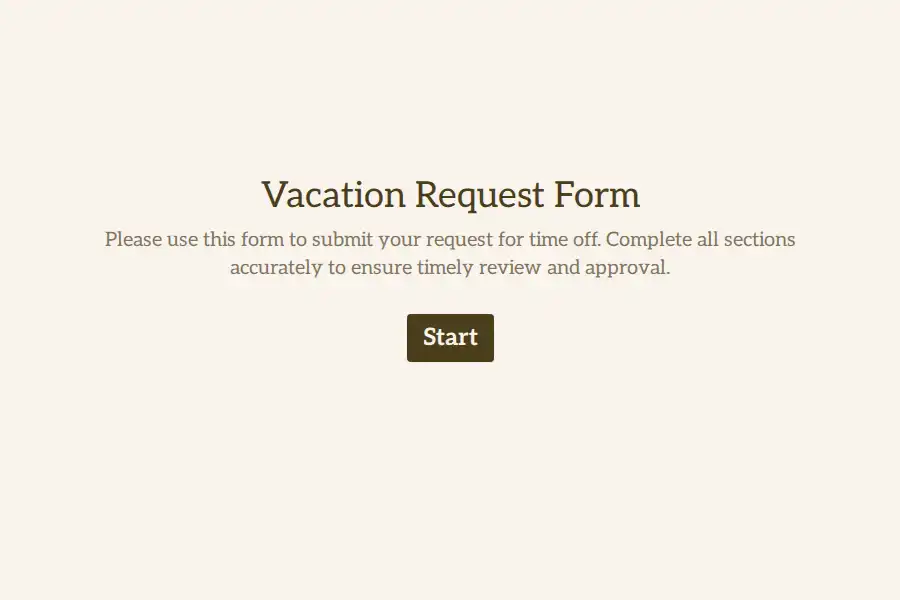
Vacation Request Form Template
Watch how an employee plans a vacation and how they request it, and you will see two different standards of care applied to the same event. The trip gets months of research: flights compared across tabs, hotels cross-checked against reviews, itineraries refined. Then the request that makes all of it possible is fired off as a one-line message into a channel where it competes with forty other notifications — and the sender spends the next three days refreshing for a reply.
The request deserves better than this, and not only for the employee’s peace of mind. Every vague, unconfirmed, untracked vacation request eventually becomes someone else’s problem: a manager approving from memory, a rota built on a maybe, a payroll run that misses the absence entirely.
This vacation request form template applies trip-planning standards to the request itself. Four questions, two minutes, finished on a phone — and a clear, honest confirmation at the end.
Four Questions, Then a Confirmation
The flow has been stripped to what an approval genuinely requires:
- The window. First day off and first day back, each on a date picker — two taps on a phone, no typing, no ambiguity about whether the return date counts as a working day.
- The category. A dropdown naming the leave type the way your policy does — annual leave, personal day, long weekend. The label matters less than the consistency; ten different phrasings for the same thing is how leave tracking rots.
- The count. Working days requested, as a numeric field, so whatever system holds the balance can deduct without interpreting.
- The handoff. One optional line: who covers what, if anything needs covering.
That is the entire form. A progress bar sits at the top showing there is nothing hiding around the corner — and this small honesty is disproportionately responsible for people finishing forms on phones at all. The question count is a feature, not an omission: every additional field on a vacation request is a field someone will one day skip, and a skipped field is worse than a field that never existed.
Killing the Approval Black Hole
The worst experience in workplace time off is not being told no. It is hearing nothing — submitting into a void and mentally spending money on flights that have not been approved. The silence erodes trust in the whole process faster than any denial could.
This template closes the loop structurally:
- The moment of submission. The ending screen does more than say thank you — it states what happens next and by when: your manager reviews requests within two working days; you will hear back by Friday. A promise with a date on it converts anxiety into patience.
- The moment of receipt. An instant notification tells the approver a request is waiting, so the two-day promise is realistic rather than aspirational.
- The moment of decision. Whatever your approval habit — a reply, a message, a calendar invite — the request itself is now a dated, findable object that the decision can be attached to.
Companies that add a closing line to the confirmation screen — if you haven’t heard by the date above, chase your manager; the request is on record — quietly hand employees permission to follow up, which is often the missing piece in slow-approval cultures.
The Overlap Radar
The classic vacation scheduling failure is not two people both being denied. It is two people both being approved — separately, in good faith, by a manager who forgot the first approval by the time the second arrived. The failure was visible for weeks. It just had nowhere to be seen.
Here it has one place: every request, pending and approved, accumulates in the same response view. Before approving anything, the manager scans the stretch of calendar the new request touches — who is already away, who is already penciled in, whether the team can survive the stack. Thirty seconds of scanning prevents the conversation that starts wait, you’re both off that week?
Teams with a shared planning calendar can go further: approved requests flow outward through a webhook or a periodic export, so the calendar everyone consults before booking trips is fed by the same intake the manager approves from. One source, two audiences, zero reconciliation.
Designed for the Phone at Airport Security
Vacation requests are filed from planes, trains, lunch breaks, and sofas — never from the ergonomic desk setup a desktop form implicitly assumes. The design reflects that:
- Preview the form on your own phone before launch and complete a real submission end to end. If any step annoys you while standing in a queue, it will annoy everyone.
- Tune the design so the form reads as internal and familiar — company colors, straightforward language, zero corporate coldness. A form that feels like an internal tool gets treated with internal-tool casualness: filled in immediately rather than deferred.
- Keep the shareable link where people already look — pinned chat message, intranet tile, the onboarding checklist. A vacation request form nobody can find is functionally a rumor.
Making It Policy-Adjacent
The form is also the cheapest place to administer vacation policy. The opening screen should carry the current rules as plainly as possible: how much notice routine leave needs, what the blackout periods are this year, who approves what. Rules stated at the moment of asking are followed; rules buried in a handbook PDF are discovered during disputes. Because the rules text lives in the form rather than its logic, updating each January’s notice requirements is a two-minute edit — no rebuild, no retraining, no memo nobody reads.
For the neighboring instruments in the same family, the general forms sub-category collects the operational templates that sit around this one.
Frequently Asked Questions
How much notice should the form require for routine requests?
Enough for coverage to be arranged without heroics — two weeks is a common floor, longer for peak periods where multiple requests compete. State the requirement on the opening screen so it is visible at the moment of asking. A notice rule that lives only in the approver’s head is enforced arbitrarily by definition.
How should we handle half-days?
Support them explicitly rather than forcing full-day requests. Either accept a 0.5 value in the day-count field or run a trimmed half-day variant of the same form. The failure mode to avoid is the informal one: half-days handled by chat because the form cannot express them, which is how small absences vanish from every record.
Should employees check the team calendar before requesting?
Encourage it and make the calendar easy to reach from the form’s introduction — but do not mandate it. Visibility prevents collisions at the source; mandates produce resentment and shadow-planning. The manager’s pre-approval scan remains the real safeguard regardless of what employees check.
What exactly should the confirmation screen say?
Three things: that the request was received and is on record, who reviews it and within what timeframe, and what to do if that timeframe passes silently. This turns the confirmation from a courtesy into a process — employees with a stated expectation follow up politely instead of anxiously, and slow approvers lose their hiding place.
Can the same form serve multiple managers or departments?
Yes — the intake is identical across teams, and routing or filtering happens on the department field. Larger organizations sometimes duplicate the form per department so each approver’s queue stays clean; both patterns work, and the deciding factor is whether approvers want one queue or several.
Do we need a separate process for last-minute personal days?
Not necessarily — the same form with a same-day category often works, provided approvers are notified instantly and the coverage line is filled. What matters is that even spontaneous absences land on the record; the alternative, letting them flow through chat forever, is precisely the gap this template exists to close.