
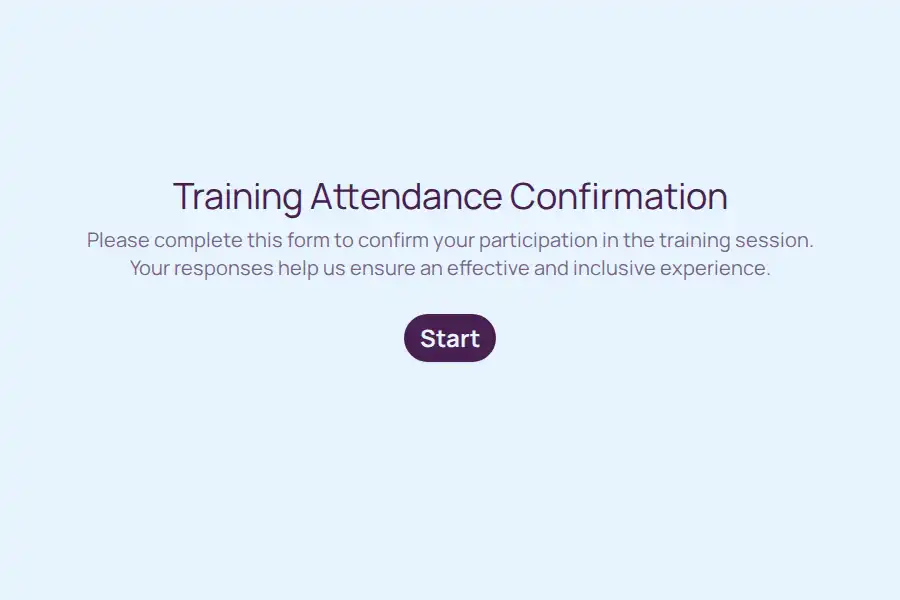


Training Attendance Form Template
The training record only matters on the day someone asks for it — the auditor requesting evidence that every warehouse operative completed manual handling, the professional body querying CPD hours, the client demanding proof their whole team was certified. On that day, I remember the session went well has no value, and a paper sheet with fourteen legible names out of twenty-two has less. This form produces the record that answers those requests: who attended, which session, in what format, verified and exportable.
The Record an Auditor Reads
Structure the sign-in around what verification actually requires:
- Identity, workplace-grade — full name and work email via a contact field, plus department and job title. Compliance records live or die on which person in which role, not just a name
- Session identification — course name and date captured explicitly, so records from three different cohorts never blur into one undated pile
- Delivery format — multiple choice: on-site, virtual, or hybrid. Some certifications require the format documented; every auditor asks
- Completion status — a yes/no confirming the attendee completed the full session. Partial attendance is a different record, and auditors know it
Sign-In Mechanics That Prevent Chaos
The typical training room breeds the typical sign-in mess — unless the mechanics are deliberate:
- One QR code at the door for in-person sessions, on the slide for virtual ones; scanning beats a URL every time
- The duplicate problem, solved: a follow-on session’s QR replaces the morning’s, and closing the form between sessions stops afternoon attendees landing in the morning’s record
- Late arrivals still sign in — their timestamp shows when, which is exactly what the record should show
- Non-attendees can’t accidentally inflate the count: only people in the room (or on the call) see the QR, and each entry carries its own timestamp
Certificates Without the Embarrassing Typo
Nothing undermines a training program like a completion certificate with the recipient’s name spelled wrong — it gets photographed, shared, and remembered. Collect the certificate properly:
- Ask whether a certificate is wanted — a yes/no, because not every attendee needs or wants one
- Ask the exact name to print — a short text field answered by the attendee themselves, not transcribed by an administrator from a crumpled sheet
- Issue confirmations automatically: a respondent email acknowledging their completion and telling them when and how the certificate arrives
One question, one typo-free certificate run. The admin hours saved here alone justify the form.
What Facilitators Learn Before the Session Starts
Two questions asked at sign-in convert the attendance record into preparation:
- What do you want from today? — an open long text field. Read these before the session and the facilitator walks in knowing the room: half want confidence with the new system, three are anxious about the assessment, one is there under protest
- Any support or access needs? — captured privately in advance, so accommodations are arranged rather than improvised
Both answers arrive before the coffee, which is precisely when a facilitator can still use them.
Export Day: When the Auditor Comes
The record’s whole purpose compresses into one request: show me. Answer it in minutes:
- Export the full response set filtered by course, date, or department
- The rows carry everything an evidence file needs: name, role, session, format, completion, timestamp
- Push completions into your LMS or HR system via webhook so the training record lives where auditors expect to find it
- Retain per your industry’s rules — safety training and CPD schemes each carry their own retention requirements, and this record is the thing those requirements attach to
For the sessions that surround the training room — onboarding programs, ongoing development, engagement checks — the training and onboarding collection covers the neighboring templates.
Frequently Asked Questions
Can this record really stand in for formal certification evidence?
It’s the participation record beneath the certification: who completed which session, when, in what format, with the attendee’s own confirmation. Where your scheme also requires assessments or accredited content, those ride on top — but every scheme starts by asking who actually attended, and this answers it with a timestamp.
How do we stop the same person signing in twice to a session?
Three practical layers: close the form between sessions so entries land in the right record, review the export’s timestamps for doubles, and for high-stakes compliance sessions send per-person sign-in links by email — unique links are the hard stop on duplicate or delegated sign-ins.
Should the certificate question really sit in an attendance form?
Yes — it’s the single highest-friction data point in the whole certificate workflow. Collecting the print name at sign-in, from the person themselves, eliminates the transcription step where every typo is born, and the yes/no filter means you never chase certificates for people who didn’t want them.
What about virtual sessions — does this still work?
Better than the alternatives: drop the link in the meeting chat at the start, and each remote attendee signs in with a timestamp — something no virtual platform’s participant list gives you cleanly. Record the delivery format as virtual and the record keeps its audit value regardless of where the learners sat.
How does this help facilitators beyond record-keeping?
Through the two pre-session questions. A facilitator who reads I’ve never used this software before and I’m nervous before the session starts runs a different — and better — hour than one who discovers it live. The attendance form quietly becomes the session’s briefing document.