What Is a WhatsApp Link?
A WhatsApp link (also called a click-to-chat link or wa.me link) opens a one-on-one WhatsApp chat with your phone number the moment someone clicks it. No saving contacts, no typing your number into a phone — one tap and the conversation has already started.
It looks like this:
https://wa.me/15551234567?text=Hi!%20I%20have%20a%20question
- The number after
wa.me/is your phone number in international format. - The optional
?text=part is the pre-filled message — it appears in the visitor’s chat box, ready to send.
How to Create a WhatsApp Link
1. Enter your phone number
- Use the full international format: country code first, then the number, digits only. Leave out the
+, spaces, dashes, and brackets. - Example: a US number +1 555 123 4567 becomes
15551234567.
2. Add an optional pre-filled message
- Type the message that should appear in the visitor’s chat box. They only need to press send.
- Write it from the customer’s perspective — e.g. “Hi! I’d like to book an appointment.” — so starting the conversation feels effortless.
3. Generate, test, and share
- Click Generate Link, copy your
wa.melink, and open it on your own phone to confirm the number and message are correct before you share it anywhere.
Build it manually? The formula is
https://wa.me/<number>?text=<message>— as long as the number is digits-only and the message is URL-encoded (spaces become%20). If you use the WhatsApp Business app, you’ll also find a ready-made short link under Settings → Business tools → Short link. The generator above handles the formatting for you.
Where to Share Your WhatsApp Link
A click-to-chat link works anywhere a normal URL works. The placements that convert best:
- Instagram bio / link-in-bio — the classic placement for creators and solo businesses. Visitors tap once and land in your DMs.
- Facebook pages and Meta ads — Meta’s click-to-WhatsApp ads are built around this exact mechanic, and the same link works in posts and page buttons.
- Your website — a header button, your contact page, or a floating chat bubble. If you want a proper chat-style widget instead of a plain link, use the Formware WhatsApp widget.
- Email signature — every email you send becomes a chance to start a chat.
- Print, packaging, and storefronts — a link lives on screens; a QR code carries it onto counters, windows, menus, and stall banners, and one scan opens the same chat with your pre-filled message included. The free WhatsApp QR code generator makes a print-ready code in seconds — PNG for screens, SVG for print. For form links rather than chat links, use the Form QR code generator.
Pre-Filled Messages That Get Replies
The pre-filled message does a lot of quiet work: it skips the awkward “hi” phase and tells the visitor exactly what to ask for. Short and specific beats clever. Examples by business type:
| Business | Pre-filled message |
|---|---|
| Bakery / cake maker | Hi! I’d like to order a cake for [date]. |
| Salon / barber | Hi! I’d like to book an appointment. |
| Photographer | Hi! I’m interested in a photo session. My date is [date]. |
| Freelancer / agency | Hi! I found your website and I’d like to discuss a project. |
| Online store | Hi! Is this product available? |
| Makeup artist | Hi! I’d like to check availability for bridal makeup on [date]. |
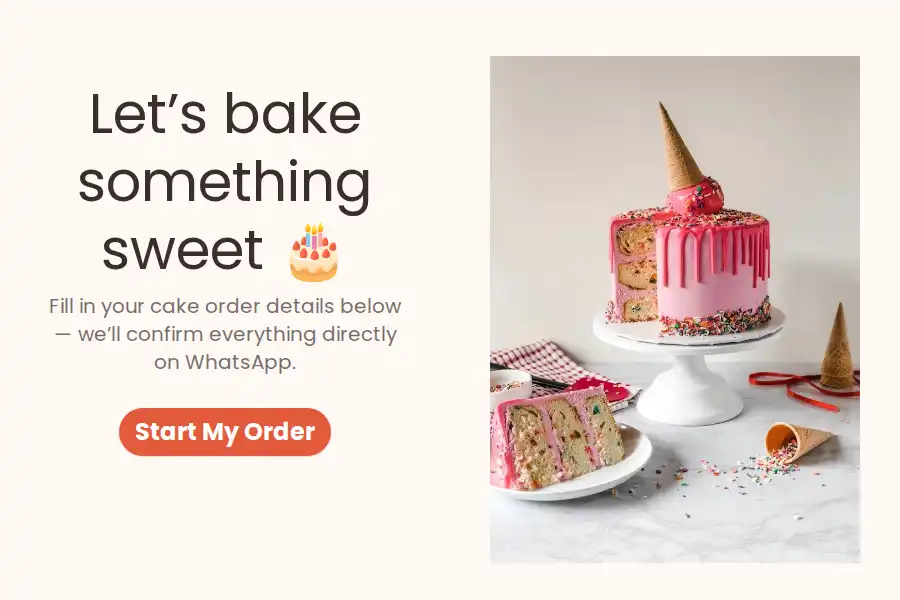
If the same kinds of requests keep landing in your chat — orders, bookings, quotes — that’s usually the point where a structured form beats a raw chat link (more on that below). You can start from a ready-made template like the WhatsApp bakery order form or WhatsApp salon appointment form, or browse the full WhatsApp forms template category.
A Link Starts Chats — a Form Collects the Details
A plain click-to-chat link is perfect for “quick question” traffic. The trade-off: everything a customer tells you arrives as free text. Order details get retyped into a spreadsheet, inquiries get buried while you’re busy, and there’s no clean record of who asked for what.
A WhatsApp form keeps the same one-tap experience but collects structured answers instead of chat messages:
- Specific fields — name, date, size, address — with required fields and validation, instead of one long paragraph.
- Room for photos and files, e.g. “upload a picture of the design you want.”
- Responses delivered straight to your WhatsApp as they come in.
- Form links can carry hidden fields, so you can see which ad, post, or channel each response came from — pair them with the free UTM builder to tag every link you share.
You can build one in minutes with the WhatsApp form builder, then share a form on WhatsApp just like a normal link.
More WhatsApp Tools and Guides
- WhatsApp lead capture form — capture and qualify leads inside the chat app they already use.
- WhatsApp lead generation — build a full click-to-WhatsApp funnel around your link.
- WhatsApp form ideas — more ways to use links and forms together to drive sales.
Ready to do more than chat? Generate your link above — or build a WhatsApp form and let every order, booking, and inquiry arrive already organized.
Frequently Asked Questions
Is the WhatsApp link generator free?
Yes — completely free, with no login or account required. Generate as many links as you need, for as many numbers as you need.
What phone number format should I use?
Full international format, digits only: country code first, then the number, without +, spaces, dashes, or brackets. For example, +44 20 1234 5678 becomes 442012345678. If a link doesn’t work, the number format is almost always the reason.
Why is my pre-filled message showing strange characters?
The message part of the link must be URL-encoded — spaces become %20 and special characters get converted too. The generator handles the encoding for you; this usually only comes up when a link is assembled manually.
What's the difference between wa.me and api.whatsapp.com/send?
They’re two formats of the same official WhatsApp click-to-chat feature and behave identically. wa.me is the short version, and the one this generator produces.
Does the other person need to save my number?
No — that’s the main benefit. The link opens a chat with your number pre-populated, even if they’ve never saved it. Note that your number is visible in the link itself, so anyone who sees it can message you — use a dedicated business number if that’s a concern.
Do I need WhatsApp Business to use a click-to-chat link?
No. Click-to-chat links work with both the regular WhatsApp app and WhatsApp Business. The Business app adds extras like catalogs and labels, plus its own built-in short link generator.
Can I see how many people clicked my WhatsApp link?
Not with a plain wa.me link — it hands off directly to WhatsApp with no tracking. If source tracking matters, share a Formware form link instead: hidden fields and UTM parameters record where each response came from.
Can I use one link for multiple phone numbers?
No — each link points to one number. Generate a separate link for each team member, department, or campaign, and give each one its own pre-filled message.