
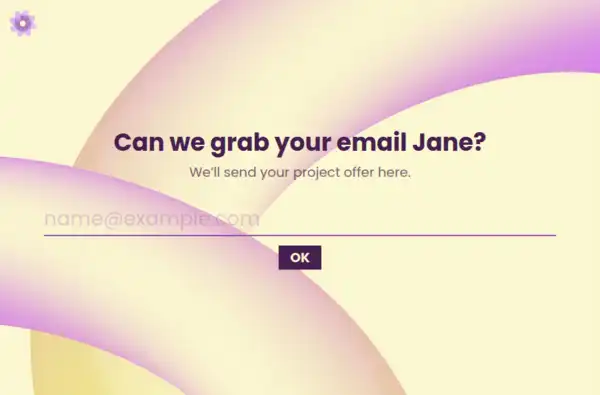






Client Intake Form Template
Proposals fail for reasons that were visible before anyone opened a document: the budget was never real, the decision-maker wasn’t in the room, the timeline assumed a signing authority nobody had. The proposal stage is too late to learn any of it — the intake stage is exactly early enough. This client intake form template is the structured discovery that sits between first contact and first proposal, collecting the facts that separate quotable projects from expensive lessons.
What Discovery Needs to Establish
The form captures the five facts that determine whether a project is real:
- The objective, in their words: what they’re trying to achieve and what prompted it now. A long-text field carries it — the phrasing matters, because clients reveal priorities in their own language that they flatten when answering yours.
- Scope shape: what’s in, what’s explicitly out, and any prior attempts — the history of what’s been tried and abandoned is worth more than any brief.
- Budget reality: a range rather than a number, selected from structured bands. Ranges get answered; open “what’s your budget?” fields get evasions — and the answer calibrates everything downstream.
- Timeline and constraints: when they need results, what’s fixed around it — launches, events, fiscal calendars — and any hard constraints on approach.
- The decision process: who signs, who influences, what approval the budget needs. The single most predictive question in the form, and the one casual discovery calls never ask.
Qualification Runs Both Directions
Intake is where both sides decide. You learn whether the project is viable and whether the client is ready — the budget-process question alone disqualifies more phantom projects than any pitch could. They learn how you think: a structured, thoughtful intake is itself a demonstration of how you’ll run the engagement. Prospects who won’t complete a twenty-minute intake are telling you how month three will feel, and the campaign source can travel through the URL so you know which channel sends prospects worth pursuing.
From Intake to Proposal
A completed intake converts directly into proposal inputs: the objective statement quotes their words, the scope section reflects their boundaries, the pricing section lands inside the range they gave. Discovery calls then confirm and deepen rather than excavate — a different conversation entirely, and a visibly better one from the client’s side. Service firms formalizing their pipeline will find the neighboring pre-sale formats in the consultation collection and the wider lead toolkit in the generate-leads family.
Frequently Asked Questions
Should intake come before or instead of a discovery call?
Before — the form handles the facts so the call can handle the nuance. Fifteen minutes of structured intake saves thirty minutes of call time and makes the call itself feel consultative rather than interrogative.
Is asking budget upfront too aggressive?
Framed as a range selection with context — “so the proposal fits reality” — it reads as professional, not pushy. Firms that skip the question discover the budget truth at proposal rejection, which is the most expensive possible moment to learn it.
What if the prospect doesn't know their decision process?
That’s a finding, not a gap: complex organizations often can’t articulate approval paths, and the proposal should then include a line about navigating procurement. Unmapped decision processes are where six-week proposal silences come from.
Can one intake form serve different service lines?
Keep the spine — objective, budget, timeline, decision process — and branch the scope questions by service interest. The qualification facts are universal; only the scope vocabulary changes.