
WhatsApp Order Forms
Free WhatsApp order form templates for small businesses — cakes, bakeries, catering, jewelry, crafts, custom clothing, and food subscriptions. Every order arrives in your WhatsApp structured and complete: product, quantity, customization, delivery address, and preferred slot. Customize for free, share by link or QR code, and start taking orders in minutes — no WhatsApp Business API needed.
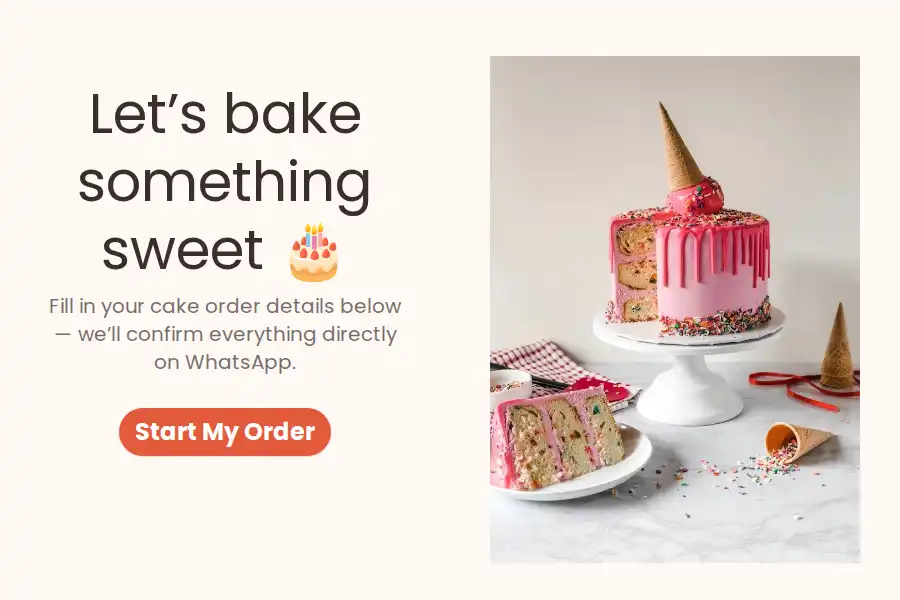
Collect the brief behind every custom cake — occasion, servings, flavors, design references, and the date — then quote, take the deposit, and lock the date in the chat that follows.
View Template
Post today's menu once and let the form take orders — dishes, spice levels, dietary needs, and delivery windows arrive in your WhatsApp before the cutoff, ready to cook.
View Template
A free catering order form template for caterers and event food businesses. Capture event type, guest count, date, menu preferences, and budget upfront — every inquiry arrives structured in your WhatsApp, ready to quote with one reply.
View Template
A free order form template for tailors, boutiques, and custom clothing brands. Capture measurements, fabric, fit, and style preferences upfront — every order arrives structured in your WhatsApp, ready to confirm.
View Template

Metal, stones, carat, engraving, and a budget band arrive with every jewelry inquiry — so your first reply can be a quote instead of a questionnaire.
View Template
Simplify flower delivery and bouquet selections with a fast, mobile-responsive WhatsApp ordering process for customers.
View Template
One link for your stall, bio, and status — customers pick the piece, add personalization and quantities, and each finished order reaches your WhatsApp tagged by where it came from.
View Template
Personalized decor ordered properly: the piece, the colorway, the engraving, and the date it must arrive by — captured once, before you start making.
View Template
Onboard meal-plan subscribers the right way — diet profiles, allergies, delivery days, and plan length captured once, then manage pauses, swaps, and renewals from the chat.
View Template
Take menu orders and holiday pre-orders through one link — customers pick items, quantities, and a pickup window, and each completed order lands in your WhatsApp as a tidy message.
View Template
Looking for something more specific
It's as simple as one-two-three, and guess what? You don't even need to pay to try it out!