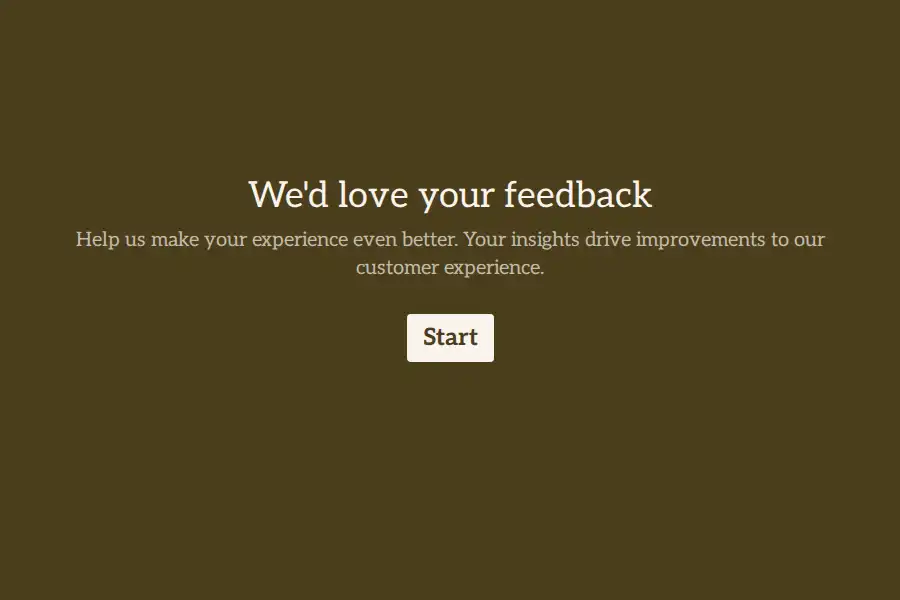
The testimonial problem is a request problem
A usable testimonial is a small piece of unpaid writing, produced voluntarily by a busy person, on the strength of a good experience they had with you. Most companies then ruin it by asking “How was your experience?” — which produces “Great service!” and nothing a copywriter can use.
The fix isn’t better incentives or more follow-up emails. It’s structure: specific prompts, in narrative order, asked one at a time, so the customer tells the story they already know instead of composing an essay they don’t have time for. Done well, the form reads like a friendly interview and produces copy you can lift verbatim. This page covers the questions worth asking, a structure that works at both the 90-second and full case-study depth, and how the routing works — with ready-made starting points in the customer success template collection.
Questions that produce quotable answers
Ask for the story in beats. These are the prompts that consistently earn reusable material, grouped by what you’re producing.
The 90-second testimonial ask
- What was going on that made you start looking for a solution? — long text. The “before” state is the hook of every good testimonial.
- What nearly stopped you from choosing us? — long text. This one quietly builds your objection-handling library; sales will thank you for it.
- What’s different in your week now? — long text. Concrete present-tense beats abstract praise every time.
- If a peer asked why you chose us, what would you tell them in one sentence? — short text. This constraint is what makes the answer quotable.
Case-study depth — when the story deserves a page
- Which tools or approaches were you using before? — multiple choice, plus a long-text follow-up for detail.
- Can you put a number on the change? — a number question: hours saved per week, revenue recovered, tickets resolved. Case studies live and die on the figure.
- When did you switch? — a date question gives the “six months later” framing.
- May we publish your name, role, company, and answers? — a legal/consent question. This is your permission record; never repurpose an answer beyond what was granted.
The referral ask — only when they’re glowing
- Do you know anyone who’d benefit from the same result? — Yes/No.
- Who should we thank, and how can we reach them? — contact fields.
One routing nuance that saves a rebuild: in Formware, contact info, phone, dropdown, and address questions can’t be used as logic conditions. So make the Yes/No question the brancher, and collect the referral’s details after the jump — not the other way around.
Use NPS as the advocate detector
The cleanest advocacy workflow starts before the testimonial ask: measure, then route. A single NPS question at the top of the form becomes the switch:
- Question 1: “How likely are you to recommend us to a colleague?” — NPS, 0–10.
- Rule 1: if score is greater than 8 → jump to the story questions. That’s the conditional logic doing the sorting, and on Formware it’s available on the free plan — logic isn’t a paid gate.
- No rule match → the always-go fallback routes everyone else to “What would make this a 10 for you?” — which is where the retention insight actually lives.
One question, two completely different conversations, neither of which embarrasses anyone. The same NPS score then rolls up into a trackable number via the NPS calculator — so the form simultaneously finds your advocates and trends your sentiment.
A structure that works: the story interview
The full case-study version, in order. The 90-second testimonial form is questions 1–5 plus the permission ask; the case study adds the rest.
- Name and role — short text. Optional name if you want a fully anonymous mode; testimonials usually want the name.
- Which product or plan are you using? — multiple choice. Segmentation you’ll want at reporting time.
- The NPS gate — as above, routing by enthusiasm.
- The before — long text.
- The near-miss — long text (“What nearly stopped you?”).
- The after — long text.
- The number — number question.
- The one-liner — short text. If a customer only completes this far, you still have a usable quote.
- Permission — legal question, asked explicitly and separately for anything you might publish.
- A headshot or logo — file upload. Note the free plan’s 10 MB ceiling — fine for images; Pro removes the limit if you’re collecting video.
- Where can we tag you? — a website question for their LinkedIn or company URL.
Three finishing touches that lift completion: recall the customer’s name partway through (“Thanks, {{name}} — two questions left”), show the progress bar so the ask’s size is visible, and end on a real thank-you page that says what happens next (“our marketing team may reach out to confirm the quote”).
All of this is pre-built in the testimonial template and the deeper success story questionnaire.
Getting the form in front of the right customer, at the right time
- Time it to the win, not the calendar. The form link belongs in the message that follows a resolved ticket, a renewal, a milestone, a first result. You control the trigger system; the form just needs to be ready.
- Label every response at the source. Pass customer ID, plan, and account owner through hidden fields in the URL, and use the UTM builder when the form goes out through campaigns. Every story arrives knowing which customer and which motion produced it.
- Go to them. Customers live in email and WhatsApp — sharing the form through WhatsApp fits how advocacy actually travels, especially for consumer-facing businesses. You can also embed the form on a post-purchase or post-support page.
- Confirm receipt. Automated confirmation emails to the respondent are a Pro feature — worth it when the ask is personal and silence feels like a black hole.
- Send them somewhere after. Pro’s custom redirects can drop a willing advocate straight onto your G2 review form, a booking page, or a referral-thank-you URL — turning one completed form into two advocacy actions. (You can also embed a Calendly right in the form if the next step is a case-study interview.)
What happens after submission
- Read and tag everything. Responses collect in one dashboard, segmented by the hidden fields you set.
- Route automatically. A webhook — included on free — can push each response into your CRM, Slack, or automation platform, so a five-star story reaches marketing while the customer is still warm.
- Don’t lose the almost-stories. On Pro, partial submissions keep what an advocate entered before abandoning — sometimes the whole story minus the permission tick. One honest caveat: partials are view-and-export only; they can’t trigger webhook or email automations, so build automation on completed responses.
- Treat the legal answer as law. The consent question is your audit trail. A quote granted for the website is not a quote granted for a paid ad — check the scope before reuse.
- Give the team access. Marketing, success, and sales all have a stake in advocacy. Pro adds shared workspaces with roles, so CS can collect stories and marketing can work them without a forwarding relay.
The form is the first thing they’re vouching for
There’s a self-referential trap in this use case: the customer is being asked to say publicly that working with you is a pleasure — and the form is their current experience of working with you. A dense grid of fields with dropdown mazes quietly answers the question before they type anything.
One question at a time, respectful prompts, a visible end — the form should feel like the customer service it’s about to praise. If you’re comparing builders, the Formware vs. Typeform comparison covers the other conversational option, and Formware vs. Google Forms covers the free-and-familiar route.
On the free plan the form carries Formware branding; everything above works. Pro removes the badge and adds your logo, favicon, and domain — worth considering here more than almost anywhere, because this specific form is customer-facing at the exact moment their goodwill is highest.
Advocacy sits between two neighbors in the customer journey: the testimonial collection workflow goes deeper on quotes specifically, and voice-of-the-customer programs cover the listening layer that finds the advocates in the first place.
Frequently Asked Questions
How is an advocacy form different from a satisfaction survey?
A satisfaction survey measures sentiment — scores you can trend. An advocacy form captures the story behind the score: the before, the decision, the number. They work best chained together: an NPS question sorts respondents, and conditional logic routes only the enthusiasts into the story ask.
What questions produce usable testimonials?
The beats of a story: what problem were you facing, what nearly stopped you, what changed, and the one sentence you’d tell a peer. Generic “how was your experience?” questions produce generic answers — specificity in the prompt is what creates specificity in the quote.
Can I collect video testimonials?
Yes — the file upload question accepts video, but the free plan caps uploads at 10 MB, which most raw video exceeds; Pro removes the cap. The lighter-weight alternative many teams use: ask for a link to a Loom or YouTube recording via a website or short-text question instead.
How do I get customers to actually complete it?
Send it right after a win, keep it under two minutes and say so in the invitation, explain why it matters (“help the next person choose well”), and make the form itself effortless — one question at a time, progress visible, no login demanded of the respondent.
Can I automate what happens after submission?
Two layers. Free: webhooks push every completed response into your CRM, Slack, or automation platform the moment it lands. Pro: automated confirmation emails to the respondent, plus custom redirects that send them onward to a review site or booking page. One boundary to plan around: partial submissions can’t trigger automations — only completed responses do.